
 by Ansel on May. 29, 2026 | NO COMMENT
Accidentally deleting an important WhatsApp chat can instantly trigger panic. If that conversation contained essential work documents, legal evidence, or irreplaceable photos—and you do not have a WhatsApp or iCloud backup—the situation feels entirely hopeless.
You likely have two major fears right now: you are afraid that reinstalling the app will erase your existing chats, and you suspect that most "recovery tools" you find online are scams. These are completely valid concerns. Fortunately, retrieving your data is still technically possible if you act quickly.
Before you download any third-party software or attempt risky restores, you need to check a few hidden locations on your device. Here is the exact, tested procedure to hunt for your missing conversations safely.
Before you even think about complex data extraction, we need to cover the basics. In a panic, it is incredibly easy to overlook simple solutions.
Did you actually delete the chat, or did you accidentally swipe left and archive it? WhatsApp hides archived chats at the very top or bottom of your main chat list.
Here is a critical pro-tip that most other guides miss: check your secondary synced devices immediately.
If you regularly use WhatsApp Web or the native Mac/Windows desktop application, your deleted conversation might still be visible there. However, the moment your computer connects to the internet, WhatsApp will sync the deletion and wipe the data from your desktop screen.
If your primary goal is recovering deleted photos or videos rather than text, you might be in luck.

Primo iPhone Data Recovery can help you retrieve your deleted messages on iPhone 7/7 Plus with or without backup. Click Here to Free Download
If Step 0 did not solve your problem, you need to evaluate your next move. Without a formal iCloud backup, your choices fall into two categories:
If you must get this data back and free methods have failed, your next logical step is using specialized extraction software like Primo iPhone Data Recovery.
Transparency Warning: The Cost of Recovery We want to be completely upfront before you proceed. There is no such thing as a 100% free tool that extracts deleted WhatsApp databases from an iPhone. Primo iPhone Data Recovery allows you to download the software and run a deep device scan for free. This lets you visually preview your deleted messages to verify they still exist. However, to actually click "Recover" and export those files back to your phone or computer, you must purchase a paid subscription (typically around $40). Do not invest the time into scanning if you are unwilling to pay for the final extraction.
The primary benefit of a reputable tool like Primo iPhone Data Recovery is that it performs a Read-Only NO-DATA-LOSS scan. This directly resolves the anxiety of reinstalling WhatsApp; the software accesses the database locally without requiring you to delete or alter your current app. Your existing, ongoing chats remain perfectly safe.
Furthermore, it offers a 'Preview & Select' feature. Instead of a blind restoration that replaces your entire phone's history, you can selectively restore just the single conversation or PDF you lost.
To maximize your chances of success, follow these exact steps while keeping your phone in Airplane Mode.

Recover from iOS Device
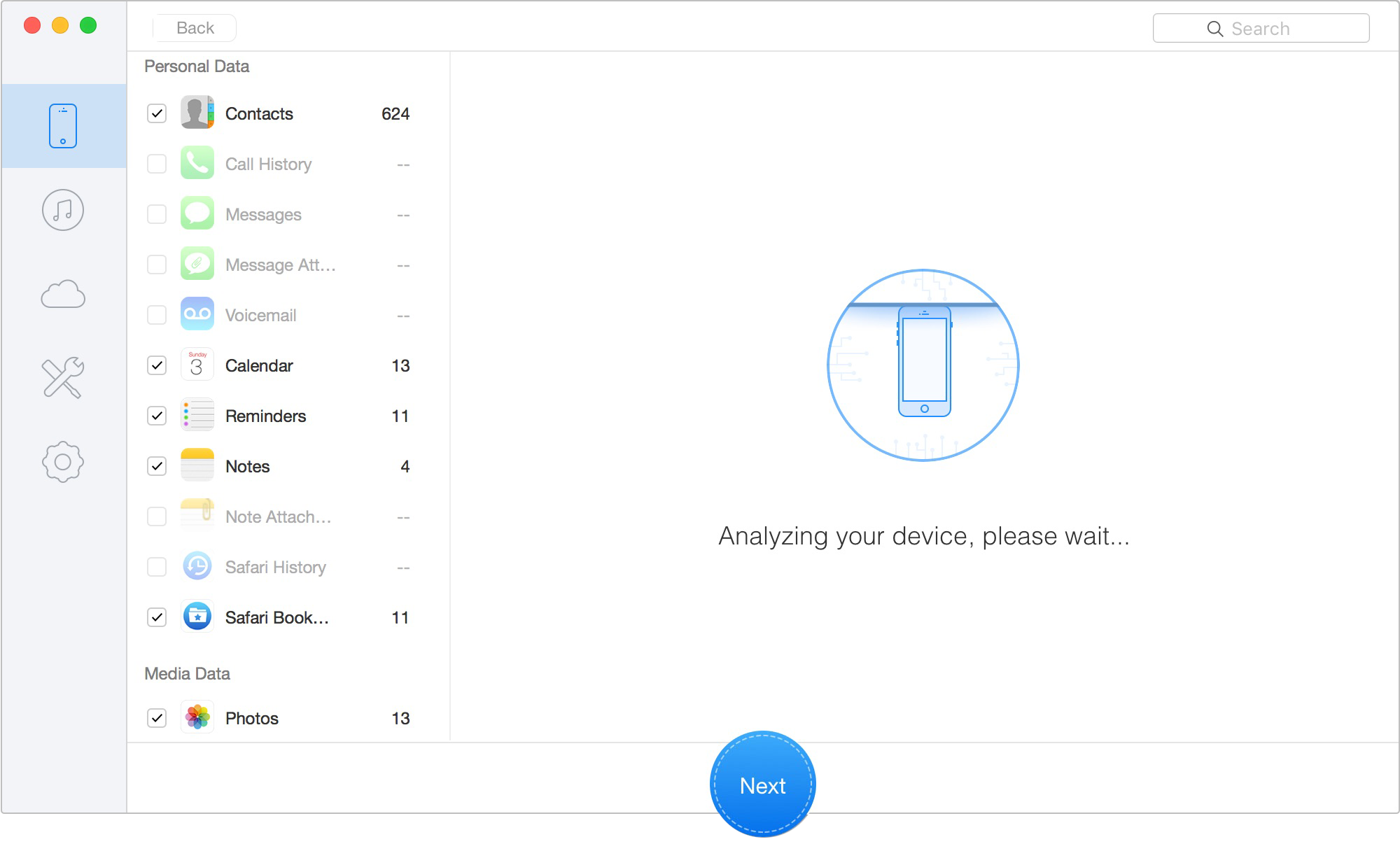
Scan Lost iOS Data on iOS Device
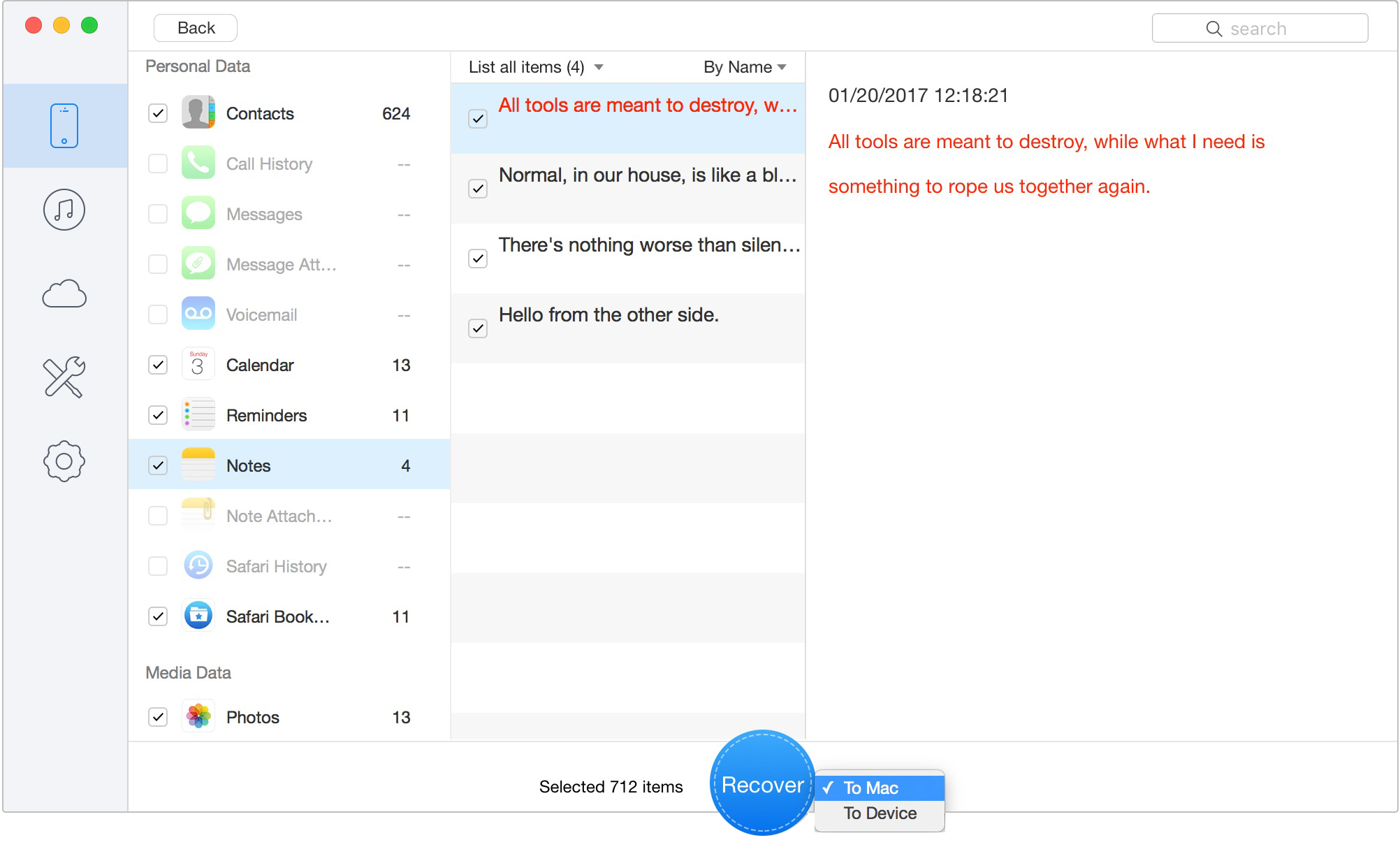
Retrieve Data to Computer or iOS Device
To address the understandable worry that recovery tools are ineffective, Primo iPhone Data Recovery backs its software with a 60-day money-back guarantee. If the free scan shows your files, but the paid recovery fails to extract them properly, you can request a refund.
Related Guide: How to Recover Deleted Pictures from iPhone.
If you are wondering why this process requires paid software on an iPhone, while Android users seem to have an easier time, you need to understand how Apple handles your data.
Modern iOS environments (iOS 16 through iOS 18) are built with highly restrictive security layers. The strict end-to-end encryption and "iOS sandboxing" mean your WhatsApp archive is locked in a digital vault. Apps cannot freely share or access data outside of their designated folders.
Here is the most critical technical fact: When you delete a message, your iPhone does not immediately destroy the text.
Instead, the iOS SQLite database simply marks that specific sector of your phone's storage as "Available." The fragmented code of your chat is still sitting there, invisible. However, if you continue using your device—if you stream a Spotify song, download a movie, or receive a barrage of new text messages—the operating system will eventually overwrite that "Available" space with new data.
Once that sector is overwritten, the deleted chat history is permanently paved over and gone forever. This is exactly why placing your phone in Airplane mode and acting quickly is the single most important factor in data recovery.
Also Read: How to Fix Messages Quick Reply Not Working on iOS 11 >>
When navigating data loss, clear and factual answers are essential. Here is a breakdown of the most common concerns.
Can I recover deleted WhatsApp photos and videos easily?
Yes, media is generally easier to retrieve than text. Photos and videos are frequently cached automatically in your iPhone's standard Camera Roll or "Recently Deleted" folders. Specialized software is also highly effective at targeting orphaned media files during a scan.
Are third-party WhatsApp recovery tools safe?
Reputable tools are safe. Trusted software performs a read-only scan of your device's local database. This means the software looks at the data without modifying, overwriting, or erasing your current conversations.
How long do I have before deleted messages become unrecoverable?
There is no set time limit; it depends entirely on how heavily you use your device. A deleted message might be permanently overwritten in ten minutes if you download a large iOS update, or it could remain hidden in the storage for weeks if the phone is turned off.
Does WhatsApp purposefully keep a "Recently Deleted" folder for chats?
No. While your iPhone's Photos app has a Recently Deleted folder, WhatsApp itself does not. Once you confirm the deletion in the app, WhatsApp hides the data instantly. It only exists as fragmented code in the flash storage until the iPhone overwrites it.
Can I restore just one specific WhatsApp conversation?
Yes, if you use extraction software. Native Apple tools force you to restore an entire backup, overwriting everything currently on your phone. Software like Primo iPhone Data Recovery allows you to preview all recoverable data and selectively check the box for a single conversation.
Can Apple Store employees recover my deleted WhatsApp messages?
No. Due to end-to-end encryption and Apple's strict privacy policies, Apple technicians do not have access to your individual app databases. They cannot perform a targeted chat recovery for you at the Genius Bar.

Designed to fit effortlessly into your iPhone data recovery.
Download NowLosing critical data is a highly stressful experience, but it does not have to end in disaster. Your first and most important step is always to stop using your phone to prevent data overwriting.
Start by checking your Archived chats, your "Recently Deleted" photo albums, and utilizing the Wi-Fi cutoff trick on your desktop apps. If those free methods fail and the missing data is essential, professional extraction software provides a safe, read-only method to scan your device's local database. By understanding how your iPhone's storage works and avoiding the fatal mistake of reinstalling the app blindly, you maximize your chances of getting your vital conversations back safely.
Ansel A member of PrimoSync Support Team, passionate for mobile industry and ready to help you with Apple related issues.
Get Up-to-the-minute iPhone Tips & Enjoy Awesome Deals.



Design Simple and Beautiful Software
with Passion & Love

