
 by Ansel on May. 29, 2026 | NO COMMENT
If you have just opened your iPhone only to find an empty address book, you are likely feeling a wave of panic. Suddenly, years of critical client numbers, family contacts, and essential work connections are missing. You might be staring at your screen, frustrated, thinking, "I do not have a recent iCloud or iTunes backup, and I am terrified that restoring an old one will erase the photos and messages I received today."
Let's take a deep breath. We want to get you your contacts back immediately, without resetting your phone.
In many cases—especially if your contacts vanished right after an iOS update or after signing into a new Apple ID—your numbers are not permanently deleted. They are simply hiding behind a temporary sync error. Because most online guides immediately push you toward expensive software or destructive factory resets, this guide starts with the exact opposite: the safe, immediate, built-in fixes.
Below, we provide a clear flowchart to help you diagnose your specific issue, followed by step-by-step procedures to recover your missing contacts safely.
Here is a critical expert insight: Many "deleted contacts" are actually just victims of a sync-layer conflict.
When you install a major iOS update or change an email password, Apple occasionally resets third-party permissions. This means your contacts are still safely stored on Google, Microsoft, or Apple servers, but your iPhone is refusing to display them in the Contacts app. Before you attempt any deep recovery, you must verify your sync settings.
If you use multiple accounts (e.g., iCloud, a personal Gmail, and a work Outlook account), it can be confusing to know which one actually stores your contacts.
1. Open your iPhone Contacts app.
2. Tap Lists (or Groups on older iOS versions) in the top-left corner.
3. You will see a breakdown of all connected accounts (e.g., "All iCloud," "All Gmail," "All Yahoo").
4. If one of these lists is missing or shows zero contacts, that specific account is experiencing a sync issue.
You can also check your default storage location by going to Settings > Contacts > Default Account. This is the account where your iPhone normally saves new numbers.
Once you know you have an account connected, here is how to force your iPhone to retrieve the hidden numbers.
1. Open your iPhone Settings.
2. Scroll down and tap on Contacts, then select Accounts.
3. Tap on the relevant account (such as iCloud, Gmail, or Exchange).
4. Look at the toggle switch next to Contacts. If it is off, turn it on (it will turn green) and wait a moment for the contacts to populate.
5. If it is already on, toggle it off.
6. Wait 10 seconds, then toggle the Contacts switch back on. This forces a fresh handshake with the server, effectively pushing your missing numbers back onto your phone.
By ensuring your Gmail and iCloud sync permissions are correctly configured, you can often retrieve missing contacts instantly. This procedure is fast, completely safe, and should always be your first step.

Designed to fit effortlessly into your iPhone data recovery.
Download NowIf the sync check did not work, and you do not have a traditional full device backup, you still have a built-in safety net. Apple maintains an automatic, server-side archive of your iCloud Contacts. This allows you to restore your address book to a previous state without forcing a complete factory reset on your iPhone.
Yes, but with a slight workaround. Apple designed the iCloud Data Recovery portal for desktop computers, but if you are panicked and away from your laptop, you can force it on your mobile device.
Steps to Restore from an iCloud Archive (Desktop or Mobile):
1. Open a web browser. (If on your iPhone, open Safari).
2. Navigate to iCloud.com and log in securely with your Apple ID.
3. Mobile Safari Tip: If you are on your iPhone, tap the "aA" icon in the bottom-left corner of the Safari search bar and select "Request Desktop Website." The page will reload in a desktop view.
4. Scroll to the bottom of the main iCloud page, or tap the apps grid menu, and select Data Recovery.
5. Click or tap the option to Restore Contacts.
6. You will see a list of available automatic archives organized by date. Select an archive from before the time your contacts went missing, and click Restore.
🛑 WARNING: RISK OF OVERWRITING NEW DATA Restoring an iCloud archive will replace the current contacts on all your devices connected to that Apple ID. If you added any new phone numbers to your phone after the date of the archive you are restoring, they will be erased. Please manually write down or export any brand-new contacts before initiating this restore.
Don’t Miss: How to Retrieve Deleted Texts Messages from iPhone.

Primo iPhone Data Recovery can help you retrieve your deleted messages on iPhone 7/7 Plus with or without backup. Click Here to Free Download
If your contacts were permanently deleted, or if you simply cannot risk overwriting your current data with an old iCloud archive, you will need to scan your phone's internal storage directly.
When you delete a file on an iPhone, it is not immediately destroyed. iOS simply removes the invisible "pointer" to that file, marking the space as "unallocated" and available for new data. Until a new photo, app, or message overwrites that specific sector of memory, the deleted contact still exists.
To reach this unallocated memory without factory resetting your phone, you need specialized software. For this, we recommend Primo iPhone Data Recovery. It is an established tool that scans your device's internal storage and extracts only the missing files you select.
This is the ideal solution if you need to recover specific deleted work numbers without wiping out the fresh text messages and photos you accumulated earlier in the day.
How to recover deleted contacts using Primo iPhone Data Recovery:

Connect iOS Device to Computer
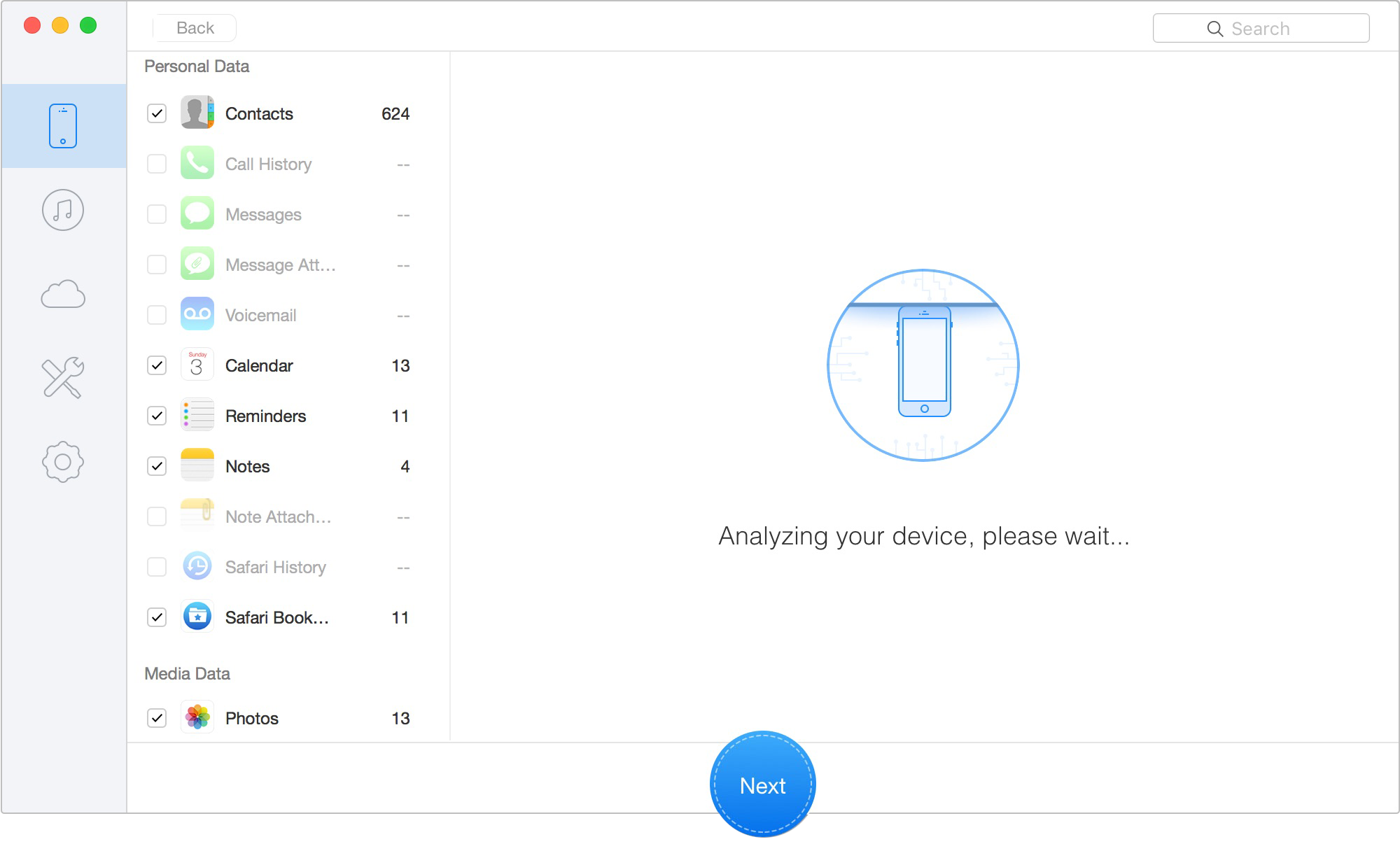
Restore them directly to your phone
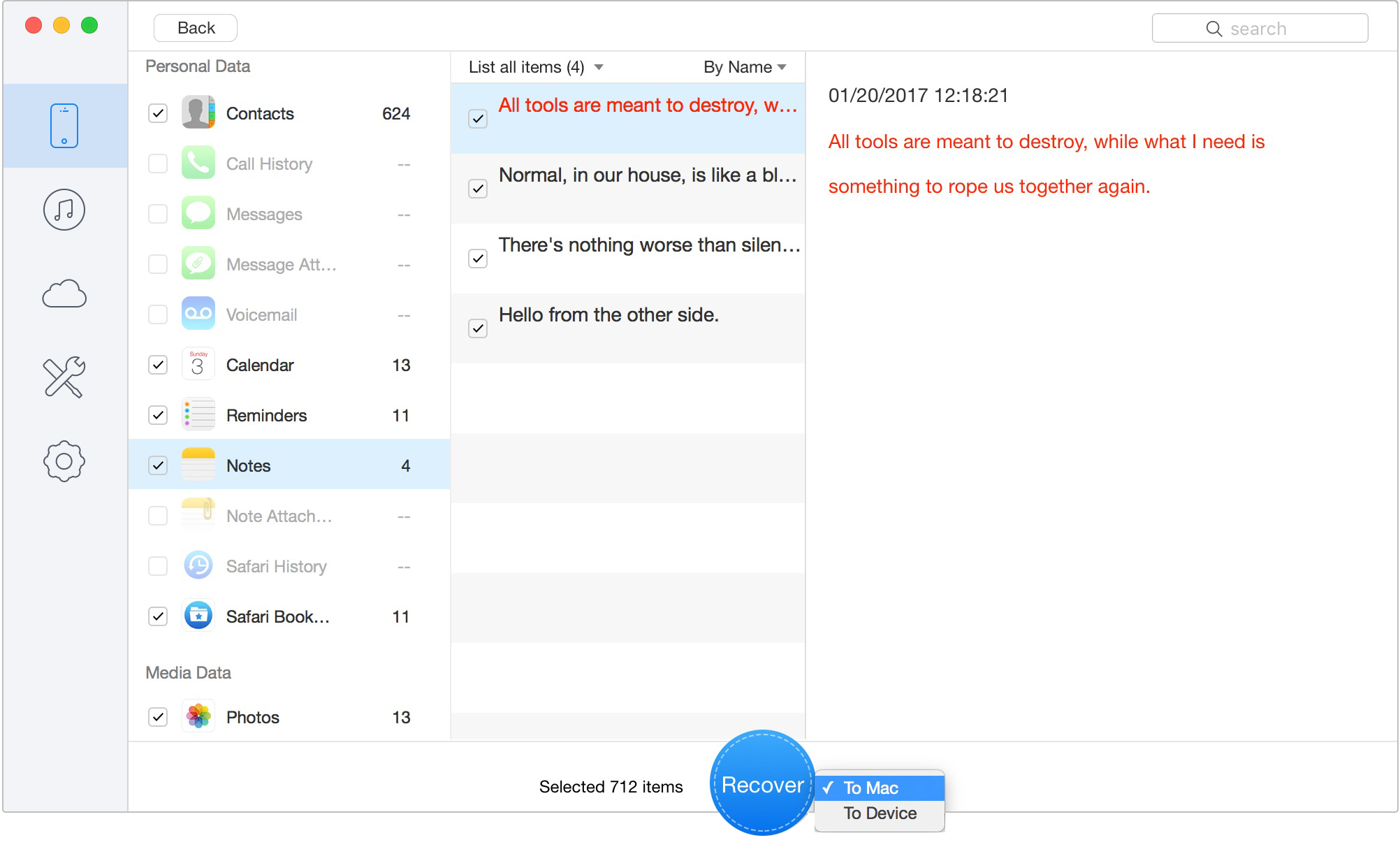
Retrieve Data to Computer or iOS Device
Understanding how Apple handles data can prevent future panic. Why do contacts vanish in the first place?
The most common culprits are iOS update glitches and Apple ID conflicts. When you sign into a new Apple ID, or log in and out during an update, the system occasionally struggles to merge contacts saved locally on your phone with those saved in the cloud. Accidental deletion is another major factor, especially if you share an Apple ID or an iPad with family members; if someone deletes a contact on the family iPad, it instantly deletes from your iPhone as well.
In the past, the only way to fix this was to plug your phone into a computer and perform a full iTunes Backup Restore. However, legacy iTunes backups operate on a strict all-or-nothing principle. If you restore an iTunes backup from last Tuesday to get a single phone number back, the system performs a total factory reset, wiping out every single photo, text message, and app data you acquired since that Tuesday.
This destructive, all-or-nothing approach is exactly why modern data recovery requires precision. Checking your sync settings, pulling a targeted server archive from iCloud, or utilizing selective software scanners are the only safe ways to manage iOS data today.
You may like: How to Backup iPhone Photos
To provide further clarity, here are detailed answers to the most common questions users ask when facing a sudden loss of phone numbers.
How can I retrieve deleted contacts on my iPhone without a backup?
First, check your default account settings (Settings > Contacts > Accounts) to ensure your email accounts are properly syncing, as updates frequently hide contacts. If they are permanently erased, use a specialized tool like Primo iPhone Data Recovery to scan your device's unallocated internal memory and extract the missing entries directly.
Why did my contacts disappear after an iOS update?
Major iOS updates occasionally reset background permissions. This can accidentally disable third-party sync layers (like Gmail or Outlook), effectively hiding your numbers from the Contacts app rather than deleting them.
Can I recover deleted contacts without resetting my device?
Yes. By restoring an automatic iCloud archive from iCloud.com, or by using targeted data recovery software, you completely bypass the need for a full, destructive factory reset.
Are deleted contacts automatically stored in iCloud?
Yes, Apple automatically creates periodic, server-side archives of your contact database. These run independently of your manual device backups and can be accessed via the Data Recovery tab on iCloud.com. Apple typically retains these automated archives for up to 30 days.
Can I recover contacts from a Gmail sync conflict?
Yes. Go to Settings > Contacts > Accounts > Gmail, and toggle the Contacts switch on. If it is already on, toggle it off, choose "Keep on My iPhone" when prompted, and then toggle it back on.
Why are some contacts missing but not all of them?
This typically happens when your contacts are fragmented across multiple different accounts. For instance, you might have personal contacts saved to iCloud, but work contacts saved to a Microsoft Exchange account. If the Exchange account loses its connection, only your work contacts will disappear. Checking the "Lists" view in your Contacts app helps identify which account disconnected.
Losing your address book is highly stressful, but it rarely means those numbers are gone forever. Whether your contacts disappeared due to an iOS update glitch, an Apple ID conflict, or accidental deletion, you have clear, non-destructive options to regain control.
Always start by checking your account sync settings—it takes less than two minutes and resolves the vast majority of missing contact issues. If you need to dig deeper, rely on iCloud's built-in data archives to safely restore your list. And for permanent deletions where you simply cannot afford to lose your recent messages and photos, targeted software like Primo iPhone Data Recovery provides a safe, exact way to scan your device's memory. By following these focused steps, you can retrieve your essential connections and get your day back on track.
Ansel A member of PrimoSync Support Team, passionate for mobile industry and ready to help you with Apple related issues.
Get Up-to-the-minute iPhone Tips & Enjoy Awesome Deals.



Design Simple and Beautiful Software
with Passion & Love

