
 by Ansel on Jun. 23, 2026 | NO COMMENT
Finding an old iPod touch tucked away in a drawer is a great surprise—until you turn it on and realize you are completely locked out. Whether you are trying to repurpose the device for a child's road trip or simply want to access old hardware, a forgotten passcode is a frustrating roadblock.
To make matters worse, the internet is filled with misleading tutorials. Many guides claim to offer "computer-free" solutions but eventually trick you into using a cable, while others ignore real-world roadblocks like disconnected Wi-Fi networks. If you are searching for how to factory reset iPod touch without password or computer, you deserve the honest truth about what is actually possible.
In this guide, we will cut through the confusion, address the common traps you will face, and provide tested techniques to wipe your device safely. We will help you regain access so you can put that iPod touch back to good use.

Preview and recover available iPhone data from your device, iCloud, or an existing backup. Click Here to Free Download
Before attempting any procedure to erase your iPod touch, it is vital to evaluate which method applies to your specific situation.
Many online guides fail to distinguish between completely different scenarios. If your device is still unlocked and you simply want to wipe it, the internal Settings menu can perform the reset in seconds. However, if the passcode is completely forgotten and the screen is locked, your options drastically change.
To help you choose the correct solution and avoid wasting time, here is an objective breakdown of your genuine options:
| Reset Method | Technical Skill | Time Cost | Success Rate | Best Scenario For... |
| Settings Menu | Very Low | Fast (2 mins) | 100% | Users who know their passcode and can access the home screen. |
| iCloud Remote Erase | Low | Fast (5-10 mins) | High (If Online) | Users with Find My enabled and an active Wi-Fi connection. |
| Recovery Mode (Borrowed PC) | Medium | Moderate (15-30 mins) | Very High | Fully locked, offline devices where an iCloud remote erase is impossible. |
| Apple Store Assistance | Low | Slow (Requires Visit) | High | Users with zero computer access, but who possess the original purchase receipt. |
By understanding these realities upfront, you can avoid frustrating dead-ends. If you are facing a locked screen, your true computer-free options are limited to iCloud or professional assistance.
If you do not own a PC, the most reliable technique is to use a smartphone or tablet browser to access your Apple account. This remote solution allows you to reset the hardware provided that Find My was previously enabled and the iPod is currently connected to the internet.
Here is the exact procedure to execute a remote wipe using iCloud.com:
Once confirmed, Apple's servers will send a signal to your iPod touch to wipe all local data and restore it to factory settings. Because this solution happens over a wireless network, it is the only genuine way to factory reset your device without a physical cable connection.
While the iCloud method is excellent in theory, it has a massive real-world flaw that most guides ignore: the device must be actively connected to Wi-Fi.
If you just pulled this old iPod out of a drawer after three years, it is not connected to your current Wi-Fi network. Because the screen is locked, you cannot open the Settings app to connect it. If you attempt the iCloud erase on an offline device, the command will simply say "Pending" indefinitely. The signal will never reach the iPod.
If you are stuck in this exact "offline" trap, iCloud is a dead end. You must proceed to Technique 2.
If your iPod touch is offline, the honest truth is that you cannot reset it without a computer. You must rely on Apple’s official forgotten-passcode procedure, which requires borrowing a Mac or PC with iTunes (or Finder on newer macOS versions) installed.
To restore the software, you must place the hardware into recovery mode. This is a special diagnostic state designed to install fresh firmware when you are completely locked out.
Many users hope they can recover their old photos or road-trip music after performing this reset. You may even see software advertised online claiming it can scan a wiped iPhone or iPod and recover data without a backup.
Do not fall for these claims. When you perform a factory reset on an Apple device, the system permanently scrambles and destroys the hardware-level encryption keys. Once those keys are destroyed, the data is gone forever. If you do not have an existing backup in iCloud or iTunes, your local files, apps, and media cannot be salvaged by any third-party software. Accepting this harsh reality will save you time and money.

Designed to fit effortlessly into your iPhone data recovery.
Download NowBefore you factory reset your iPod touch, ask one important question: Do you have an old iTunes backup, Finder backup, or iCloud backup? If the answer is yes, you may still be able to recover important photos, messages, contacts, notes, videos, or app files without restoring the entire backup blindly.
This is where Primo iPhone Data Recovery fits naturally into the process. Primo does not reset your iPod touch, remove the passcode, bypass Activation Lock, or recover data from a device after it has already been wiped. Instead, it helps you recover data from available backup sources, especially when Apple’s standard restore process feels too limited.
Primo is useful for this article because it can help you:
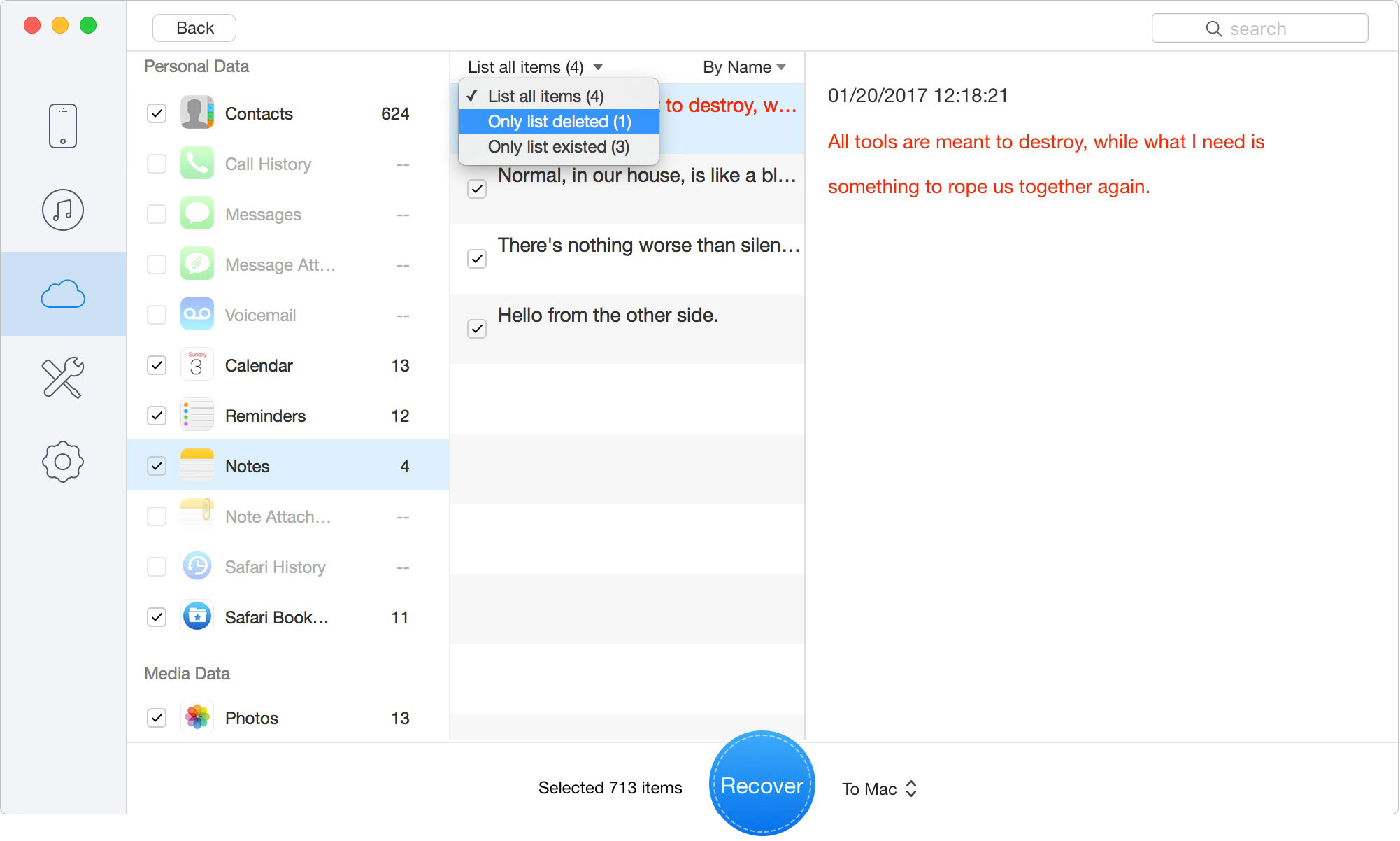
Preview backup data before recovery
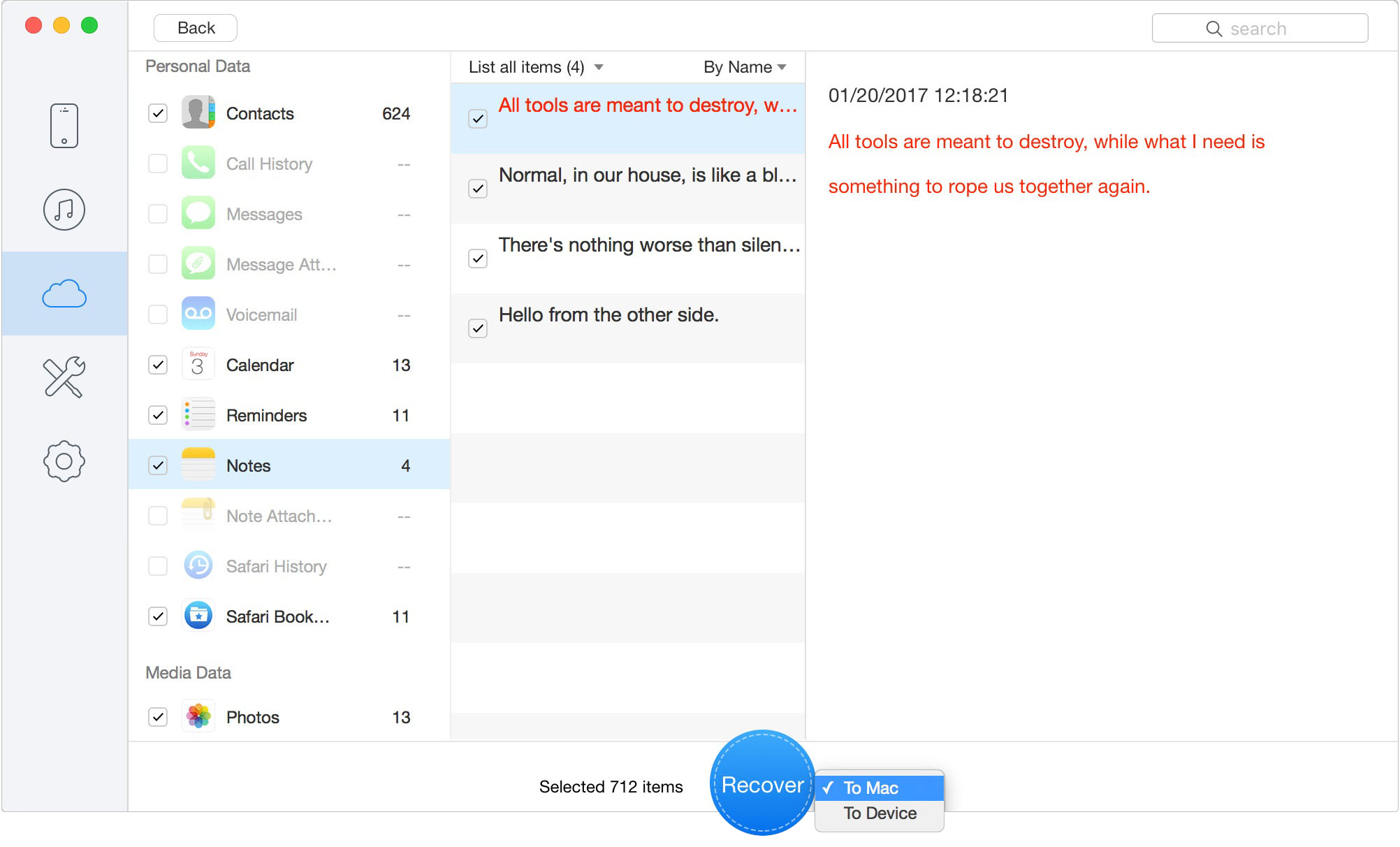
Recover data to your computer
To keep expectations clear: Primo is a data recovery tool, not an iPod unlocker. If your iPod touch is locked and you have no iCloud backup, no iTunes/Finder backup, and no accessible data source, Primo cannot magically recover local files after a factory reset.
Follow these steps if you have an existing iTunes/Finder backup:
Install and open Primo iPhone Data Recovery on your computer. Choose Recover from iTunes Backup if you have a local backup on your computer.
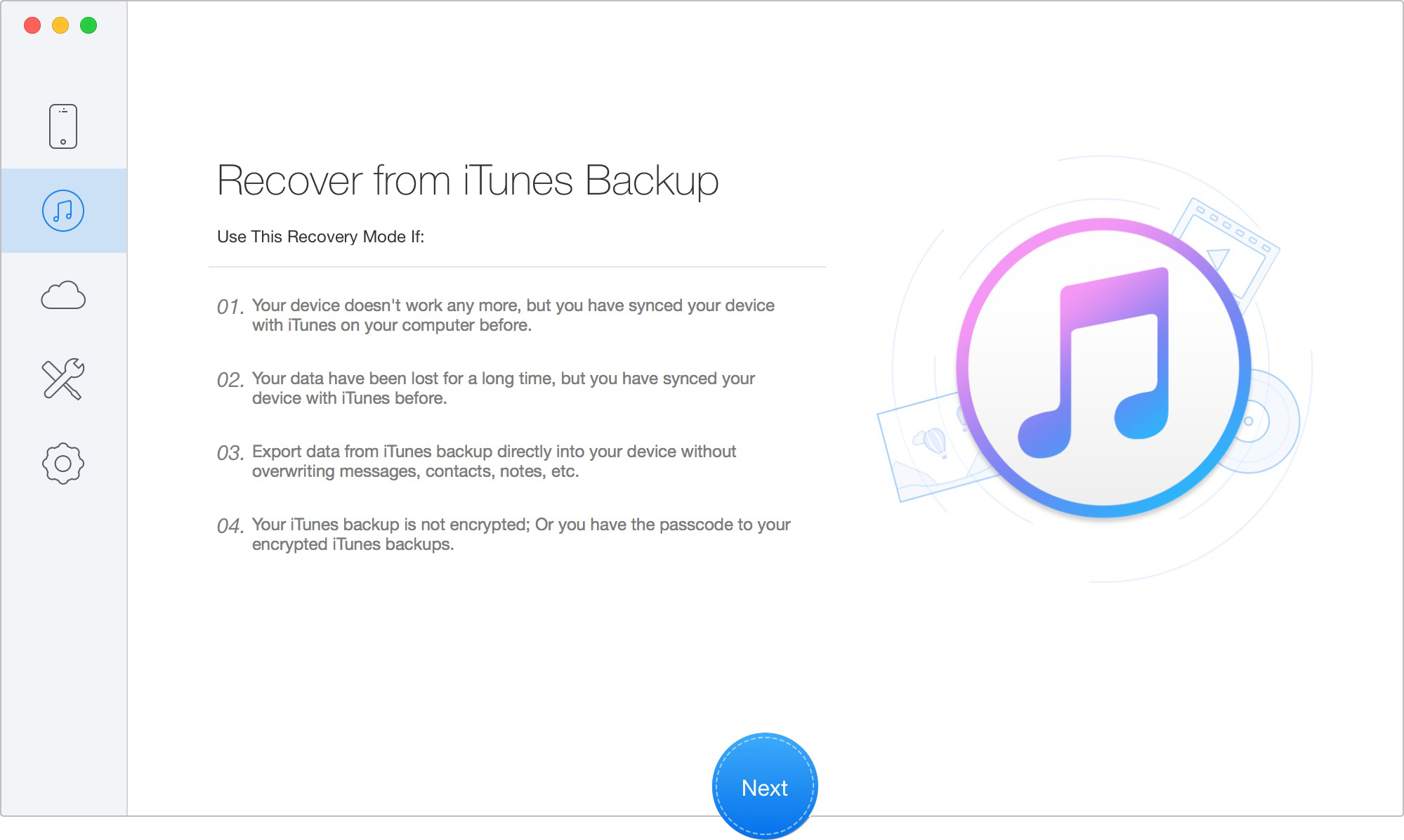
Recover from iTunes Backup
Choose the available iTunes/Finder backup from the list. Primo will scan the selected backup source instead of trying to unlock the iPod touch.
After scanning, preview the recoverable data by category. Select the photos, contacts, notes, messages, videos, or other files you want to keep.
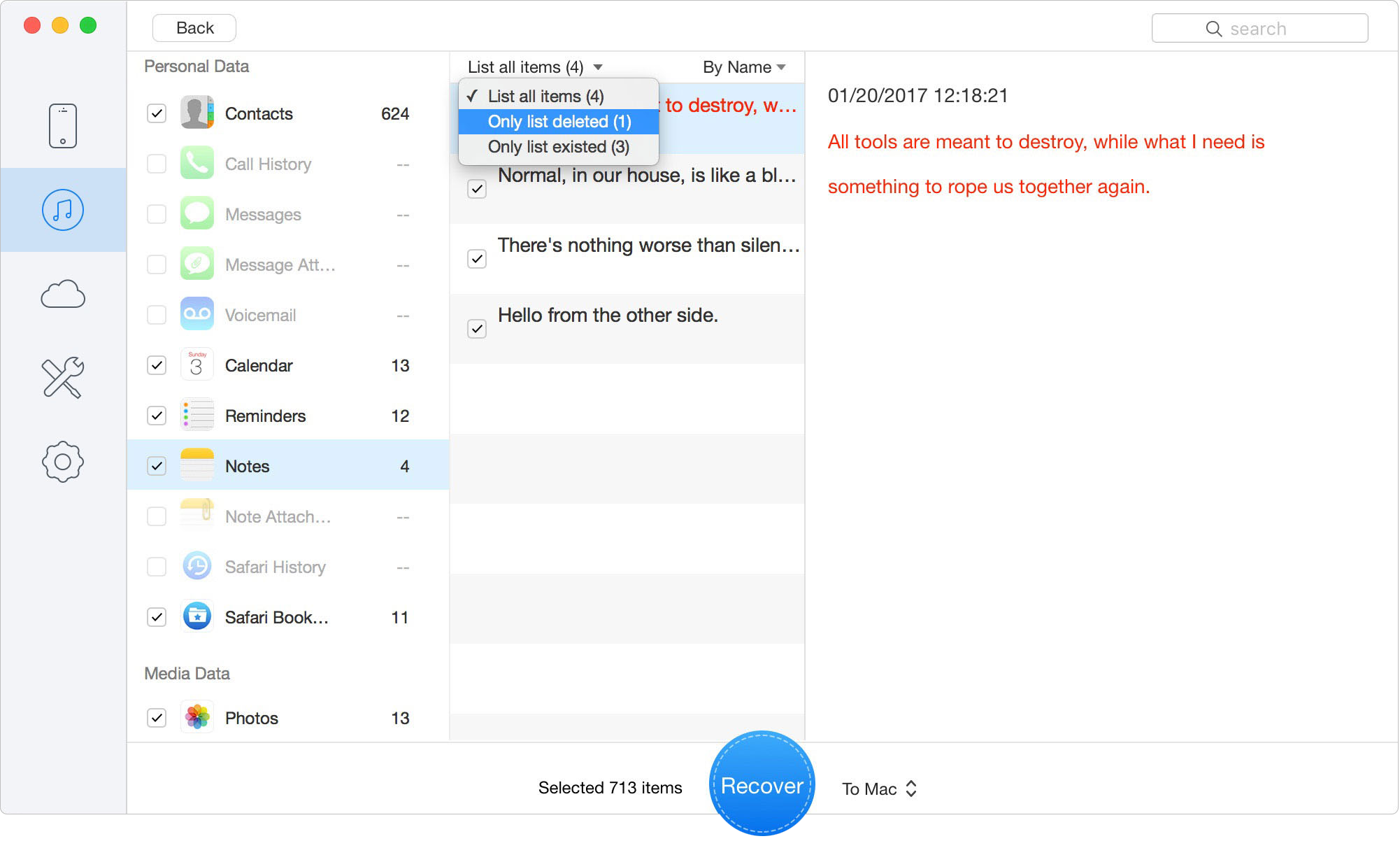
Preview and Select Recoverable Files
Export the selected files to your computer for safe storage. After your important files are saved, you can continue with the factory reset or set up the iPod touch again.
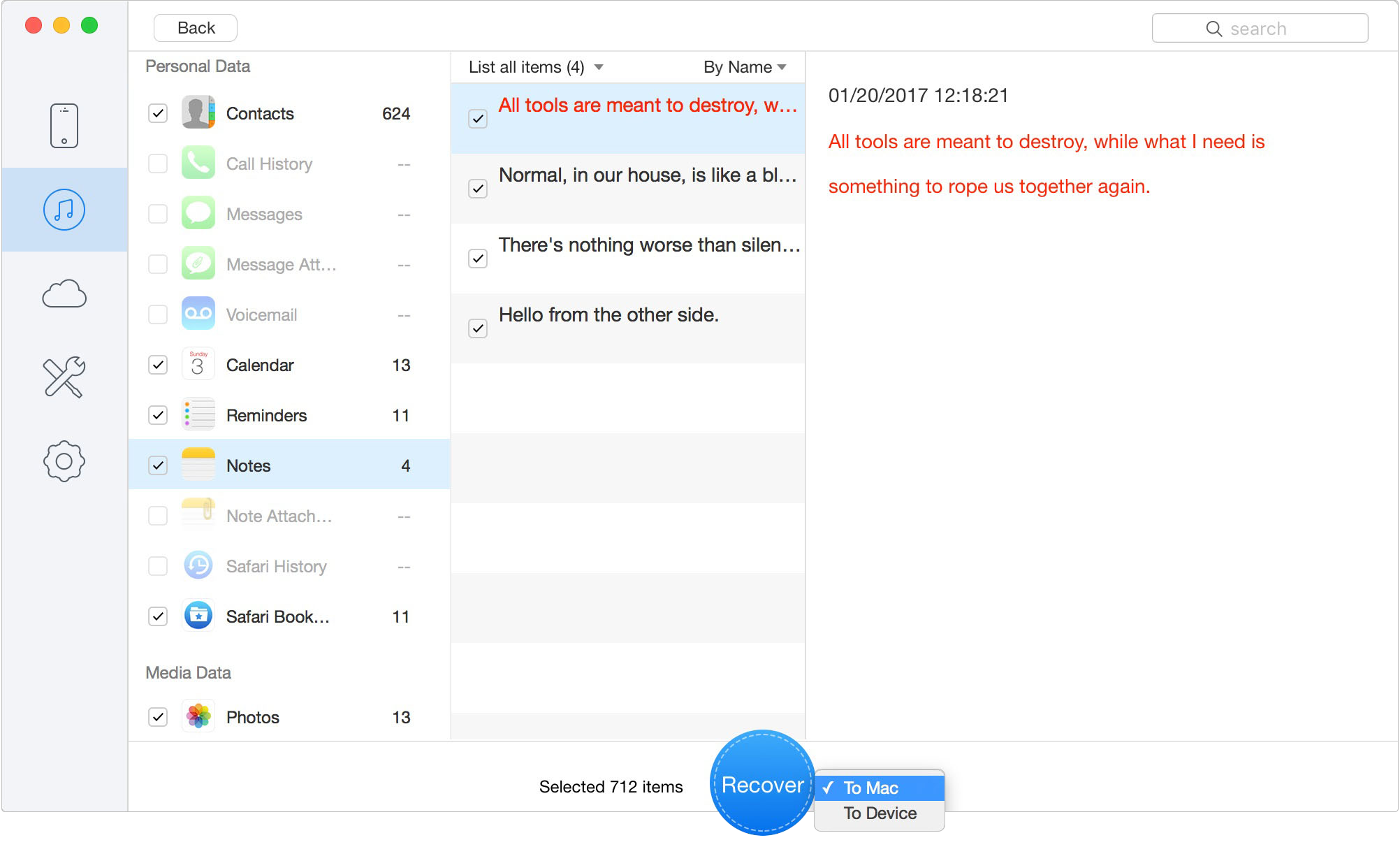
Recover Data to Your Computer
Use Primo before resetting if you want to check old backup data first. Use it after resetting if you later discover an iTunes/Finder backup and want to recover selected files without restoring everything.
If you are locked out, your device is offline, and borrowing a laptop is entirely out of the question, you still have one official avenue left. You can seek assistance directly from an Apple Store or an Apple Authorized Service Provider.
Apple technicians possess the proprietary tools needed to wipe the hardware and remove the forgotten passcode on site. However, they cannot salvage your photos or media without a prior backup. Furthermore, Apple maintains strict security protocols. You must prove that you are the original owner before they will touch the device.
Bring these documents along with your locked device. The technician will verify your ownership and perform the necessary factory reset for you.
Also Read: How to Recover Deleted Files on iPhone in 2026
🚨 CRITICAL WARNING: Navigating Activation Lock
Do not skip this section before erasing your device!
A factory reset does not automatically clear all security measures. Activation Lock is a firmware-level security protocol designed by Apple to deter theft. When you erase an iPod touch, the system does not delete the core ownership records stored on Apple's secure servers.
If Find My was active before the reset, the device will reboot to an Activation Lock screen. At this stage, the system will demand the original Apple ID and password used to initially set up the iPod.
If you do not remember your Apple ID credentials, you will be permanently locked out of the device, even after the reset. You must either recover your login details via the official Apple ID recovery website or provide your original proof of purchase to Apple Support to have the lock officially removed from their servers. Always verify you know your Apple ID credentials before initiating a factory wipe.
Can I reset an iPod touch without a passcode and without a computer?
Yes, but only under specific conditions. As outlined in this guide, the only genuine method to achieve this is by using the remote "Erase This Device" feature via iCloud. This absolutely requires Find My to be active and the iPod to be currently connected to a known Wi-Fi network.
What happens if my locked iPod is not connected to Wi-Fi?
The iCloud erase will fail. The command will remain in a "Pending" state on Apple's servers indefinitely because the offline device cannot receive the signal. If your device is offline, you must use a computer to enter Recovery Mode.
Will a factory reset remove Activation Lock?
No. A factory reset only removes the local device passcode and local data. It does not alter the Activation Lock status on Apple’s servers. You will still need the original Apple ID email and password to set up the device again.
Which buttons do I hold for iPod touch recovery mode?
It depends on your model. For the 7th generation, hold the Volume Down button while connecting it to a computer. For the 6th, 5th, and 4th generations, hold the Home button while connecting it.
Can Apple reset it for me?
Yes. An Apple Authorized Service Provider or an Apple Store technician can wipe the device for you, provided you bring a government-issued ID and the original purchase receipt proving you own the hardware.
Will my music and photos be deleted?
Yes, permanently. A factory reset permanently destroys the encryption keys protecting your local files. If you do not have a cloud or iTunes backup, your data is gone. No third-party software can magically retrieve data from a wiped iOS device without a backup.
Preview and recover available iPhone data from your device, iCloud, or an existing backup. Click Here to Free Download
Being locked out of an iPod touch is stressful, especially when you are trying to reuse an older device and cannot remember the passcode. If you are looking for how to factory reset iPod touch without password or computer, the honest answer is that only iCloud remote erase can work without a computer — and only when Find My was enabled and the iPod is still connected to Wi-Fi.
If the iPod touch is offline, you will need a Mac or PC to use Recovery Mode. This is the most realistic way to erase the device and remove the forgotten passcode, but it also deletes local data. A factory reset cannot remove Activation Lock, and it cannot preserve files that were never backed up.
Before you reset the device, check whether you have an iCloud backup, iTunes backup, or Finder backup. If a backup exists, Primo iPhone Data Recovery can help you scan that backup, preview recoverable files, and recover selected photos, contacts, notes, messages, videos, or other data to your computer. It will not unlock the iPod touch or recover data after a wipe without a backup, but it gives you a safer recovery path when backup data is available.
The safest order is simple: try iCloud remote erase if the iPod is online, use Recovery Mode if it is offline, check your backup sources before wiping, and use Primo to recover selected data from existing backups when needed.
Ansel A member of PrimoSync Support Team, passionate about the mobile industry and ready to help with Apple-related issues.
Get Up-to-the-minute iPhone Tips & Enjoy Awesome Deals.



Design Simple and Beautiful Software
with Passion & Love

