
 by Ansel on Aug. 18, 2026 | NO COMMENT
Losing important photos, messages, contacts, or notes from an iPhone can turn into an urgent problem very quickly. Once the Recently Deleted folder is empty, most users are left deciding between restoring an older backup—which may replace newer data—or trying dedicated recovery software.
That is where iMobie PhoneRescue comes in.
PhoneRescue is a desktop iPhone recovery tool designed to scan an iOS device, extract selected files from backups, and retrieve available data from iCloud. It has been around for years and remains one of the better-known names in the iPhone data recovery software category.
But is PhoneRescue actually worth paying for in 2026? Does the free version recover anything? Is it safe to connect your iPhone to it? And, most importantly, can it recover permanently deleted data?
This PhoneRescue review focuses on those practical questions rather than promising unrealistic recovery rates. We will look at how its three main recovery methods work, what you can do before paying, where recovery has technical limits, and how PhoneRescue compares with Apple’s built-in restore options and another recovery-focused tool, Primo iPhone Data Recovery.
PhoneRescue is a solid choice for iPhone users who need more flexibility than Apple’s standard backup restore provides.
Its biggest advantage is selective recovery. Instead of restoring an entire old backup just to retrieve a few photos, messages, or contacts, PhoneRescue lets you scan an available data source, preview supported files, and choose what you want to recover.
It is particularly useful in three situations:
The main limitation is the same one that applies to virtually every iPhone data recovery tool: software cannot recover data that no longer exists in a recoverable source. If deleted information has already been overwritten and there is no usable backup or cloud copy, PhoneRescue cannot recreate it.
The free version is therefore useful as a first diagnostic step. PhoneRescue lets users scan before purchasing, although exporting or restoring the detected data requires a paid license. The official FAQ currently lists a $49.99 one-year plan and a $59.99 one-time purchase.
PhoneRescue is iMobie’s desktop data recovery and iOS utility software for Windows and Mac.
Rather than functioning as an App Store application, it runs on a computer and works with an iPhone or available backup data. This matters because iOS does not give ordinary mobile apps unrestricted access to the types of system and backup data required for meaningful recovery.
PhoneRescue provides several recovery paths instead of forcing every user through the same process. Its official feature set includes recovering from an iOS device, extracting selected content from iTunes backups, and retrieving available data from iCloud. It also includes additional iOS repair and device-related functions beyond basic data recovery.
PhoneRescue makes the most sense for users who:
It is less useful if you know the missing files were never backed up and your iPhone has been heavily used since deletion. In that situation, the problem is not necessarily the recovery software—it is whether recoverable data still exists.
The answer is yes, PhoneRescue can work, but recovery success depends heavily on which source contains your missing data.
It is better to think about PhoneRescue as three different recovery workflows rather than one universal scan.
This mode is intended for situations where files were recently deleted from the iPhone and you do not have a convenient backup to restore. The basic workflow is straightforward:
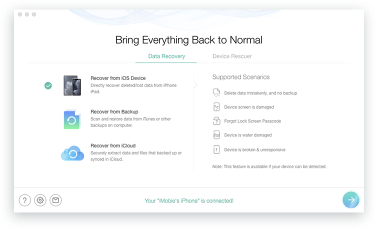
Select Recovery Modes
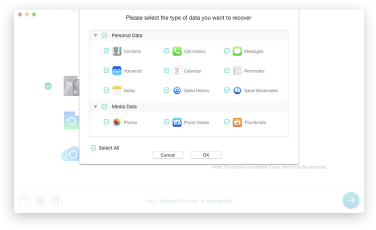
Scan & Preview Lost Data
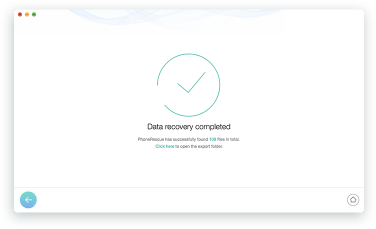
Recovery Completed
The most important factor here is how much the iPhone has been used since the deletion.
When data is permanently deleted, there may still be recoverable records or fragments associated with it. Continued activity can reduce the chances of recovery as storage is reused.
If you have just discovered important data is missing, reduce unnecessary phone activity until you have checked your recovery options. This principle applies whether you use PhoneRescue or another tool to recover deleted files on iPhone.
This is one of PhoneRescue’s most practical features.
Imagine you have an iPhone backup from three weeks ago containing the messages or photos you need. Apple’s normal approach is to restore that backup to an iPhone.
The problem is that a full restore can replace current device data with the older backup state. PhoneRescue instead allows you to inspect supported data in the backup and recover selected items. iMobie’s official product information specifically highlights the ability to preview and choose data from iTunes backups rather than recovering everything.
This recovery path is generally more predictable than trying to retrieve permanently deleted information directly from a device because the target file already exists inside a backup.
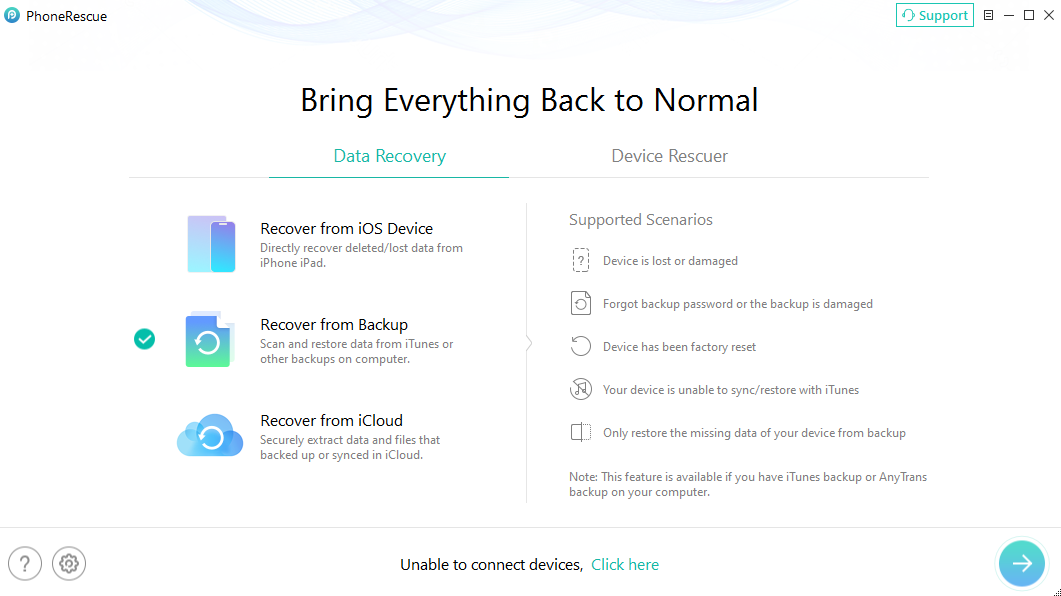
Recover from Backup
PhoneRescue can also access supported information available through iCloud recovery sources.
This can be useful when you no longer have the original iPhone or when the needed data exists in an available cloud source.
However, iCloud recovery should not be misunderstood as a way to magically recreate anything that has ever existed on your iPhone.
If a photo, message, or other item was never stored in an available iCloud source, no recovery tool can simply download a hidden copy that does not exist.
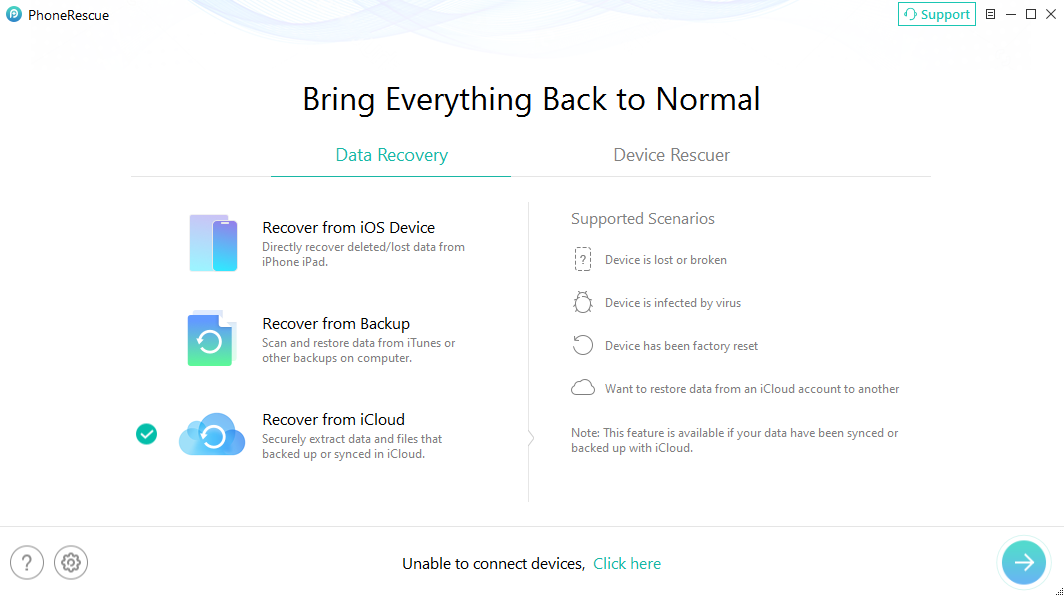
Recover from iCloud
PhoneRescue is designed to support common iOS data categories such as photos, messages, contacts, notes, call-related information, and other personal data.
What you actually see during a scan depends on:
This distinction matters because seeing a data type listed as “supported” does not guarantee that every deleted file of that type can always be recovered.
One of the better parts of PhoneRescue’s workflow is that you do not necessarily have to purchase first and hope for the best.
The trial version can scan for data, although some personal information may appear partially obscured until the software is activated. iMobie’s own FAQ recommends using the trial version first and not purchasing the Pro version if the scan cannot locate the data you need.
That is the approach we recommend as well:
Scan first → check the results → only purchase if the software finds something worth recovering.
PhoneRescue is not completely free recovery software, but it does provide a useful trial.
The distinction is simple:
You can use the trial to:
A paid license is required when you want to actually recover or export the detected data to your computer or device.
As of this 2026 review, iMobie’s official FAQ lists:
| Plan | Price | Updates & Support |
| 1-Year Subscription | $49.99 | One year |
| One-Time Purchase | $59.99 | Lifetime updates and support |
Both plans are listed for use on one computer with unlimited iOS devices.
For someone trying to recover one irreplaceable photo album or years of messages, the important point is that you can check whether PhoneRescue detects relevant data before paying.
That makes the free scan much more useful than a trial that only demonstrates the interface.

Scan, preview, and recover available iPhone data without a full-device restore. Click Here to Free Download
For most users downloading PhoneRescue from the official iMobie website, there is no reason to treat it like an unknown mobile app asking for unrestricted access to your phone.
PhoneRescue is a Windows and Mac desktop application. iMobie’s current FAQ states that it supports both platforms and describes the product as secure software.
Still, data recovery software naturally deals with highly personal information, so basic precautions are sensible:
From a data-safety perspective, the biggest advantage of selective recovery is that you do not necessarily have to replace your entire current device state just to retrieve a few old files.
Before buying PhoneRescue, it is worth checking whether Apple’s free methods already solve your problem.
If your photo is still in Recently Deleted, your contact still exists on iCloud.com, or the file is available through an active cloud service, use the free Apple option first.
The real value of PhoneRescue appears when Apple’s standard recovery becomes too restrictive.
Restoring an older Finder, iTunes, or iCloud backup can be effective when you want to return an entire device to an earlier state.
But it is not designed for selective extraction.
A full restore can replace the current device state with data from the selected backup. That is not ideal if you only need three old contacts but want to keep all of today’s photos and messages.
PhoneRescue gives you more control by allowing you to inspect supported data and choose what you need.
| Feature | Apple Backup Restore | PhoneRescue |
| Cost | Free | Free scan; paid recovery |
| Restore entire backup | Yes | Not required |
| Select specific data | Limited | Yes |
| Preview before recovery | Limited | Yes |
| Direct deleted-data scan | No | Yes |
| Backup extraction | Full restore workflow | Selective extraction |
| Best for | Setting up/restoring a whole device | Recovering selected missing data |
Neither option is universally better.
If you are setting up a replacement iPhone and want everything from yesterday’s backup, Apple’s restore is the simplest choice.
If you have six months of new data on your current phone and only need a handful of older files, selective recovery is much more attractive.
Overall, these are fairly normal trade-offs for a full-featured iOS recovery application rather than major reasons to avoid PhoneRescue.
PhoneRescue is a good fit for users who want a mature, broader iOS recovery toolkit. But some users mainly want one thing: find the missing data, preview it, and recover selected files with as little complexity as possible.
For that workflow, Primo iPhone Data Recoveryis another option worth considering.
Primo focuses heavily on the core recovery process. It can work with an iOS device as well as available backup sources and allows users to preview and selectively recover supported content. PrimoSync’s current product information also describes device, iTunes/Finder backup, and iCloud recovery workflows.
Scan, preview, and recover available iPhone data without a full-device restore. Click Here to Free Download
| Feature | PhoneRescue | Primo iPhone Data Recovery |
| Direct iPhone recovery | Yes | Yes |
| Backup extraction | Yes | Yes |
| iCloud recovery options | Yes | Yes |
| Selective preview | Yes | Yes |
| Broader iOS utility features | Stronger emphasis | More recovery-focused |
| Best suited for | Users wanting a broader recovery toolkit | Users prioritizing a straightforward recovery workflow |
This is not a case where PhoneRescue is “bad” and Primo is “good.”
PhoneRescue is the stronger fit if you value a more comprehensive toolset. Primo is worth comparing if your priority is a focused data-recovery workflow.
If you choose Primo, the basic procedure is simple:

Recover from iOS Device
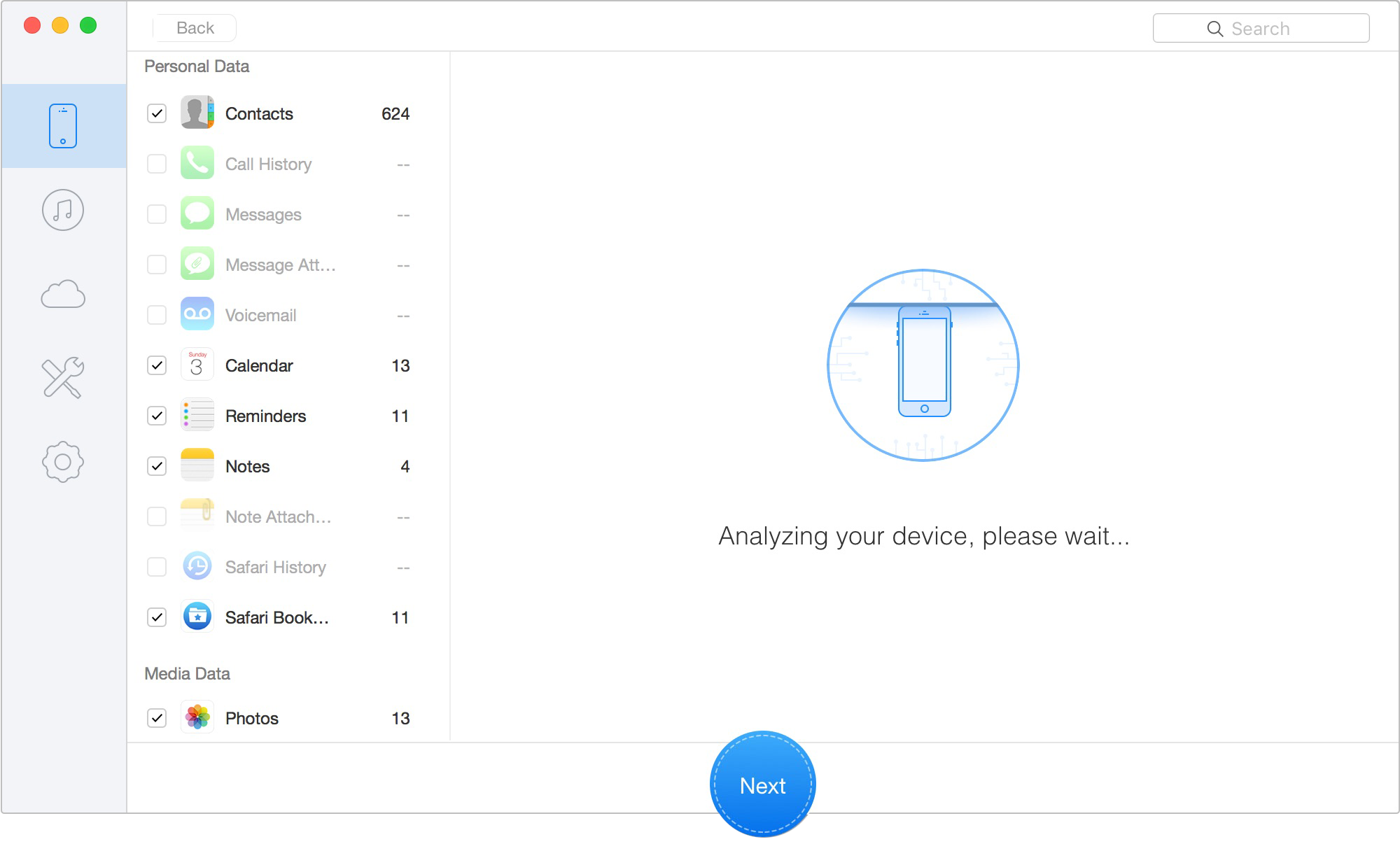
Scan Lost iOS Data on iOS Device
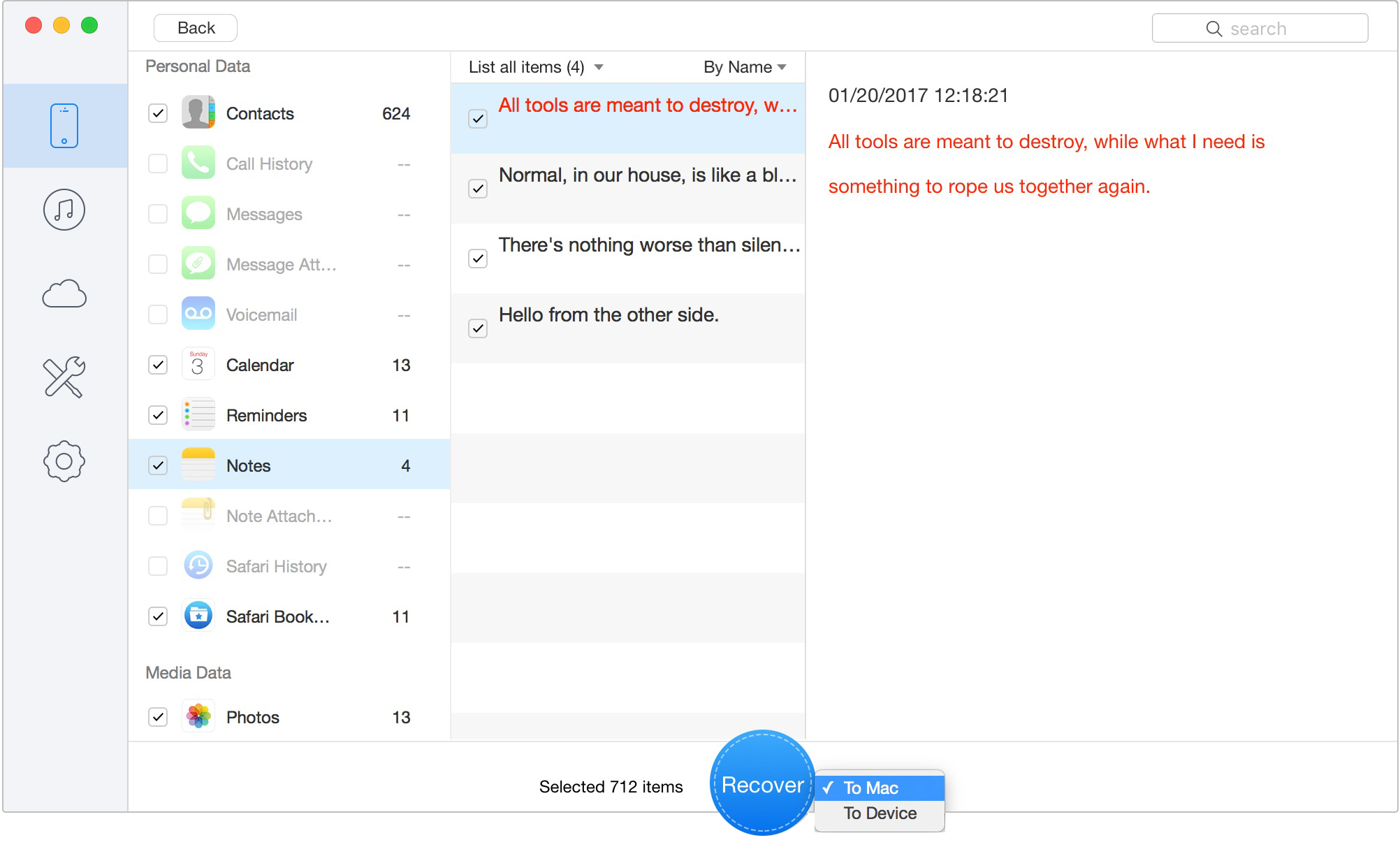
Recover Data to Computer or iOS Device
This type of selective workflow is useful when you want to recover deleted files from your iPhone to a computer without performing a complete device restore.
Yes, PhoneRescue can recover supported data when that data is still available on the iPhone or exists in an accessible backup or iCloud source. Direct recovery of permanently deleted data depends on whether the underlying information has already been overwritten.
PhoneRescue offers a free trial for scanning and previewing recovery results. You need to activate a paid license to recover or export the detected data.
PhoneRescue is an established desktop utility from iMobie for Windows and Mac. For the safest experience, download it from the official source rather than using modified or cracked installers.
Potentially, yes. If recoverable data or database records remain available, a direct scan may detect deleted content. However, once the underlying storage has been reused and the relevant data is no longer recoverable, software cannot recreate it.
PhoneRescue includes a direct iOS device recovery mode, so a Finder, iTunes, or iCloud backup is not required for every recovery attempt. Whether the missing item can actually be recovered depends on what data remains available on the device.
Yes. Selective backup extraction is one of PhoneRescue’s key advantages. You can inspect supported data in an available backup and choose the content you want instead of restoring the entire backup to your device.
Neither tool is automatically better for every user. PhoneRescue is a strong option if you want a broader recovery and iOS utility toolkit. Primo may be more appealing if your priority is a focused recovery workflow with straightforward scanning, previewing, and selective export.

Designed to fit effortlessly into your iPhone data recovery.
Download NowPhoneRescue remains a capable iPhone data recovery option in 2026. Its biggest strength is flexibility: you can check an iPhone directly, inspect available backups, work with supported iCloud data, and selectively recover what you need instead of immediately committing to an all-or-nothing device restore. The free scanning workflow is also useful. Rather than paying first and hoping the software works, you can use the trial to see whether PhoneRescue detects relevant data before purchasing a license. The most important expectation to keep realistic is recovery itself. PhoneRescue—or any competitor—cannot guarantee deleted data that has already become unrecoverable. The sooner you investigate the loss and the more useful backup sources you have, the better your options are. For users who want a comprehensive recovery toolkit, PhoneRescue is well worth considering. If you prefer a more recovery-focused alternative, Primo iPhone Data Recovery is also worth comparing before making your final choice.
Ansel A member of PrimoSync Support Team, passionate for mobile industry and ready to help you with Apple related issues.
Get Up-to-the-minute iPhone Tips & Enjoy Awesome Deals.



Design Simple and Beautiful Software
with Passion & Love

