
 by Ansel on Aug. 18, 2026 | NO COMMENT
Waking up to find your iPhone contacts missing can instantly induce panic, especially when your Messages app is suddenly filled with raw phone numbers instead of the familiar names of clients, family, and friends.
Consider the experience of a real user we’ll call Sarah, who updated her iPhone to iOS 26 overnight. The next morning, several names in her text threads had vanished, replaced by a wall of unrecognized digits. Assuming her data was permanently deleted, her first instinct was to restore an older iPhone backup. If you are in this exact situation, stop right there. Restoring a full device backup is a drastic step that risks overwriting the messages, photos, and files you’ve created today.
Instead of guessing, this guide outlines a proven, step-by-step procedure to safely diagnose your issue. We will help you figure out if your contacts are actually deleted, hidden by a settings glitch, or just failing to sync—and show you exactly how to get them back.
Before taking any action that could affect your device’s data, you must determine the actual state of your address book. Many users assume the worst when names disappear from their screens, but our testing shows that a massive percentage of “missing contacts” cases are not true deletion events.
Rather than throwing solutions at the wall, use this logic flow to identify your specific problem: Scenario A: You see phone numbers instead of names in Messages.
Contacts > Lists visibility.Scenario B: A specific group of people (like all your work colleagues) is gone.
Scenario C: Your entire address book is completely blank on your iPhone.
The very first thing you should do is check if your contacts still exist on Apple’s servers. This instantly tells you whether you are dealing with a local device glitch or actual data loss.
If your missing contacts are fully visible here, your data is safe. Your iPhone is simply experiencing a local sync issue. You can usually fix this by restarting your phone or toggling your iCloud sync off and back on. If the contacts are not on iCloud.com, proceed to the next steps.
Let us return to Sarah’s iOS 26 update scenario. Before rushing to restore a backup, she opened her device settings and navigated to her Contacts Lists. There, she discovered the real culprit: most of her missing entries belonged to a Gmail account whose sync visibility had been accidentally unchecked during the overnight software update.
If your messages are showing numbers instead of names, follow this exact method to check your lists:
One of the most confusing aspects of iOS is understanding exactly where your phone has been saving new phone numbers. If you do not know whether your device defaults to saving contacts in iCloud, Gmail, or a work server, you are flying blind when things go missing.
To figure out where your missing contacts were originally stored:
If your Default Account is a work Exchange profile or a Gmail account, and those contacts are missing, you need to check your sync settings:
Expert UI Note: If you intentionally deleted a work Exchange account from this menu recently, iOS displays a specific prompt warning that the data will be “Deleted from My iPhone.” This wording terrifies users, but it only means the local copy on your phone is removed. Your contacts still exist safely on your employer’s server—you just need to re-add the account to get them back.

Scan, preview, and recover available iPhone data without a full-device restore. Click Here to Free Download
If you have completed the diagnostic steps above and confirmed that a group of contacts is genuinely missing from every account, Apple provides a built-in recovery method via the iCloud data archive.
However, users are often unnecessarily terrified of this step because Apple’s native warning implies severe data loss. It is crucial to understand exactly how this works so you can proceed safely.
🚨 CRITICAL OVERWRITE WARNING:
Restoring an older iCloud Contacts archive replaces the current contact set across all your synced Apple Account devices. This means any new phone numbers you have added to your device since that older archive was created will be removed.
The Safety Net: Despite how scary this sounds, Apple actually protects you. Before the older archive is restored, iCloud automatically creates a brand-new archive of your current contacts. If you complete the restore and realize you lost important new numbers, you can easily go back into the settings and restore the newest archive to undo the process.
If you are ready to proceed with a native restore, follow these steps:
What happens if your data was never synced to an external account, you have no iCloud archives available, and you absolutely refuse to risk a full device restore that might overwrite your current text messages and photos?
For users who need to recover genuinely deleted contacts without a backup safety net, a dedicated software extraction tool is the best available solution.
Primo iPhone Data Recoveryuses a non-destructive scanning procedure that ensures your current files remain completely untouched. It is designed to safely extract deleted fragments directly from the device’s internal SQLite database or isolate them from existing backups without forcing a full device wipe.

Recover from iOS Device
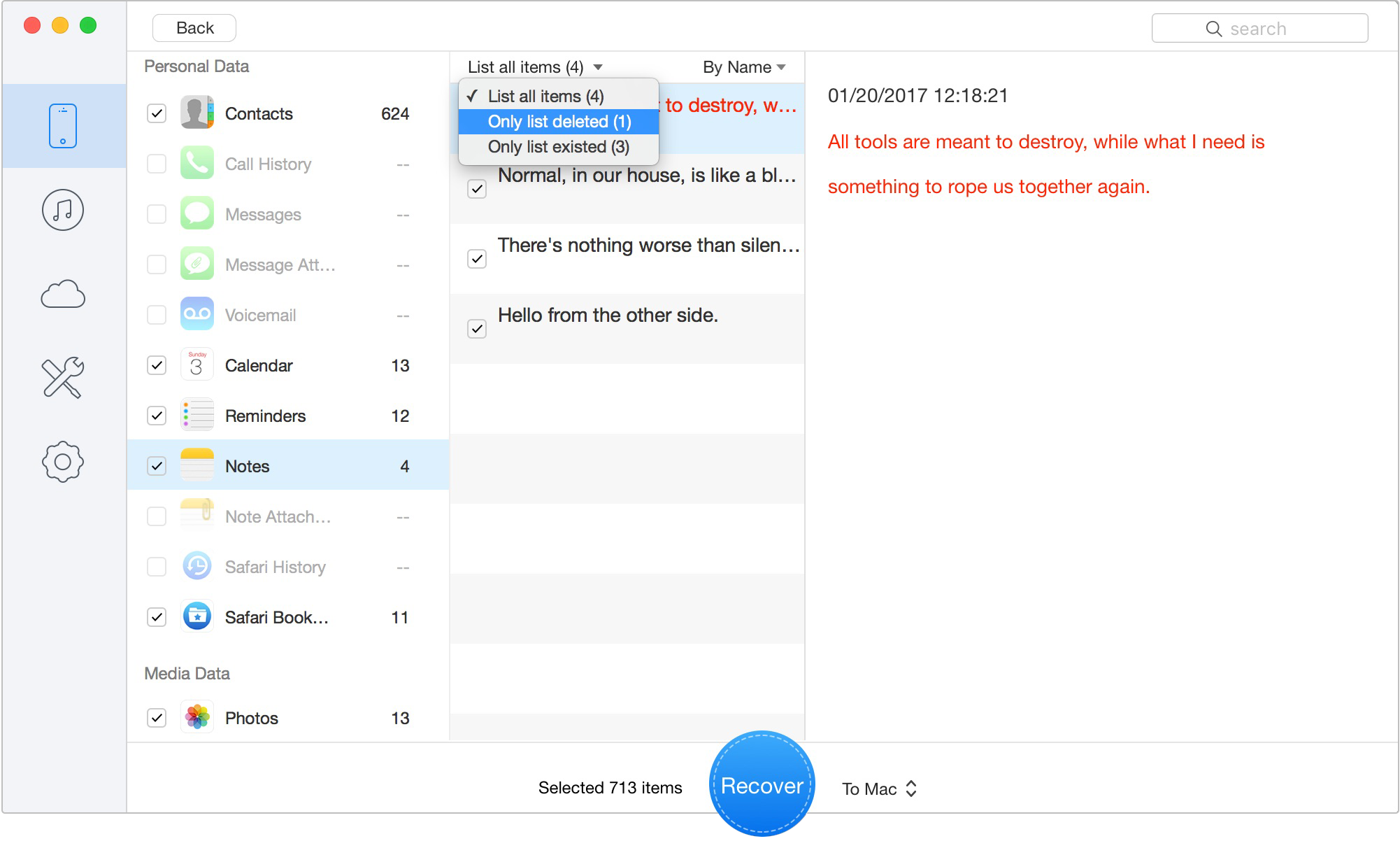
Preview the Scanned iOS Data
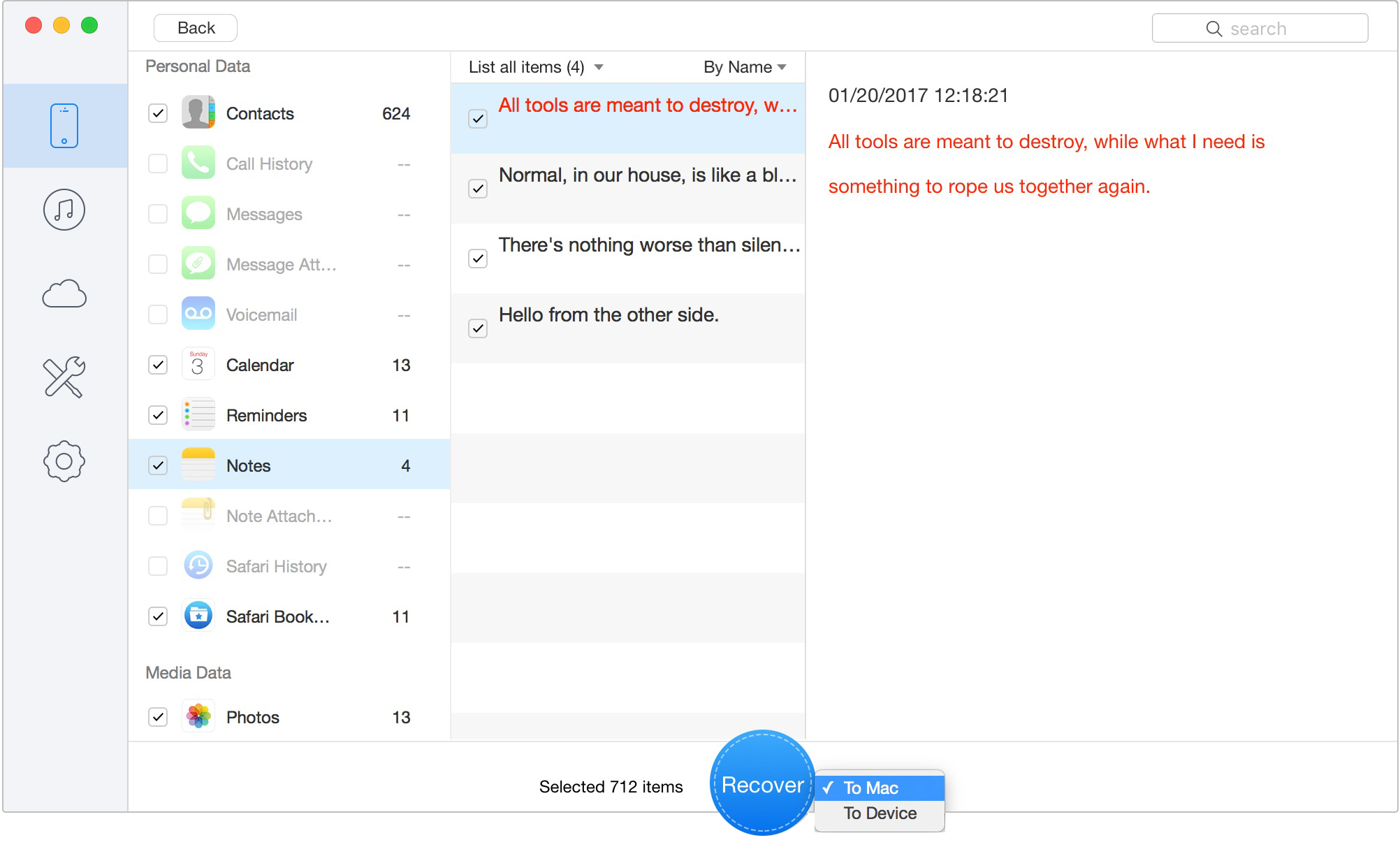
Recover Data to Computer or iOS Device
This process does not require a full iPhone restore, so your current messages, photos, and other data remain untouched.
Scan, preview, and recover available iPhone data without a full-device restore. Click Here to Free Download
It is important to understand how commercial recovery software operates before you commit your time. Downloading Primo iPhone Data Recovery to scan your device or your backups is entirely free. This free scan acts as a diagnostic tool, allowing you to preview your missing entries on your computer screen to confirm they are actually recoverable from the device’s memory.
However, to export these records to your computer or push them back to your phone, you must purchase a paid license. We enforce this model to ensure that you only pay after you have visually verified that the tool can successfully recover your specific missing data, eliminating the risk of paying for software that doesn’t solve your problem.
If you have successfully used the steps above to resolve your issue, you might still wonder what caused the glitch in the first place. Understanding the root causes can prevent this stressful scenario from happening during your next major iOS upgrade. The most frequent triggers include:
To finalize our guide, we have consolidated direct, practical answers to the most common questions users ask when dealing with a suddenly empty address book.
In the vast majority of cases, they are not permanently deleted. Typically, contacts disappear because a third-party account (like Gmail or an Exchange work server) was removed, a password expired, or a recent software update temporarily unchecked your active Contacts Lists.
The fastest way to find out is to log into iCloud.com on a web browser. If your contacts are visible there, your iPhone is simply experiencing a sync error. If they are missing there, check Contacts > Lists on your iPhone. If all lists are checked and iCloud is empty, the data may be genuinely deleted.
This happens when the Messages or Phone app loses connection to the address book database that matches a raw phone number to a saved name. Re-enabling your Contacts Lists or fixing an expired email account password usually resolves this instantly.
Go to Settings > Contacts > Default Account. This tells you which server (iCloud, Gmail, Exchange, etc.) your iPhone has been using to save your newest entries.
Yes, applying an older archive will overwrite your current contacts. However, Apple creates a safety net: right before the restore happens, iCloud creates a brand-new archive of your current contacts, allowing you to undo the process if you realize you lost important newer entries.
Yes. You can use a dedicated tool like Primo iPhone Data Recovery to scan your device’s internal storage directly. This allows you to find and recover deleted database fragments even if you lack a recent iCloud or computer backup.
Absolutely. While Apple’s full-device backups are an “all or nothing” restore that overwrites your whole phone, software extraction solutions allow you to target, preview, and export specific data files without forcing a destructive device wipe.

Designed to fit effortlessly into your iPhone data recovery.
Download NowDealing with missing contact names does not have to end in permanent data loss or a frustrating, full-device wipe. By utilizing our diagnostic decision tree to figure out if your entries are hidden by a sync error or truly deleted, you can regain complete control over your critical information. You no longer need to fear that an outdated backup will erase today’s text messages and photos. If checking iCloud.com and your local sync lists confirms the records are gone, the most reliable procedure is using Primo iPhone Data Recovery. This trusted tool safely scans your device, letting you verify your missing data on-screen and extract exactly what you need in minutes without overwriting your current files. Download the free scan today to preview your recoverable contacts and immediately restore your peace of mind.
Ansel A member of PrimoSync Support Team, passionate for mobile industry and ready to help you with Apple related issues.
Get Up-to-the-minute iPhone Tips & Enjoy Awesome Deals.



Design Simple and Beautiful Software
with Passion & Love

