
 by Ansel on Jul. 7, 2026 |
NO COMMENT
by Ansel on Jul. 7, 2026 |
NO COMMENT
Pokémon GO login failed, GPS signal not found, map not loading, app crashing, or PokéCoins missing? If you are wondering what to do if Pokémon GO won't load, this updated troubleshooting guide helps you identify the real cause first, then apply the safest fix without risking your account progress.

Preview and recover available iPhone data from your device, iCloud, or an existing backup. Click Here to Free Download
Quick answer: Most Pokémon GO problems come from one of five causes: unstable network, outdated app or phone system, missing location permission, temporary server issues, or unsupported/rooted/jailbroken devices. Start with the quick checklist below before reinstalling the game or changing your account.
Common Pokémon Go Problems and How to Solve
Before jumping into a specific error, try these safe fixes first. They solve most common Pokémon GO issues without deleting your account or progress.
Important: Do not create a new Pokémon GO account just because you see an error. Most login, GPS, loading, and server issues can be fixed without losing progress. If you are switching phones or troubleshooting an iPhone, it is safer to make an iPhone backup before making major system changes.
If you are not sure where to start, match your error message or symptom below.
| Problem you see | Most likely cause | Start here |
| Unable to authenticate / Failed to log in | Account authorization, VPN, server, outdated app, weak network | Login fixes |
| GPS signal not found / Failed to detect location | Location permission, weak GPS, mock location, urban GPS drift | GPS fixes |
| Pokémon GO won't load / Stuck on loading screen | Network issue, app cache, outdated version, VPN, temporary server issue | Loading fixes |
| App won't install or says device not compatible | Unsupported OS, rooted/jailbroken device, unofficial app | Device requirements |
| App opens but freezes, crashes, or gets stuck when catching Pokémon | Temporary app bug, cache issue, low memory, network drop | Freeze and crash fixes |
| Spinning Poké Ball, server error, no internet connectivity | Network or server communication issue | Connection fixes |
| Trainer won't move, PokéStops empty, no nearby Pokémon | Map data not loading, GPS drift, slow network, area density | Map fixes |
| PokéCoins disappeared or purchase failed | Store sync delay or purchase verification issue | Purchase fixes |
| Eggs not hatching or walking distance not counted | Adventure Sync, battery saver, permission, or speed detection issue | Egg and distance fixes |
A large part of old Pokémon GO troubleshooting content is outdated. If your device is no longer supported, clearing cache or reinstalling the app will not solve the problem.
If you are new to the game and want a basic overview before troubleshooting, read what Pokémon GO is. If your phone is too old or cannot run the game smoothly, you may also want to check Pokémon GO alternatives and similar games.
This is one of the most searched Pokémon GO errors. It usually means the game cannot verify your account at that moment. The cause can be a weak network, a temporary server issue, an outdated app, VPN interference, or an account authorization problem.
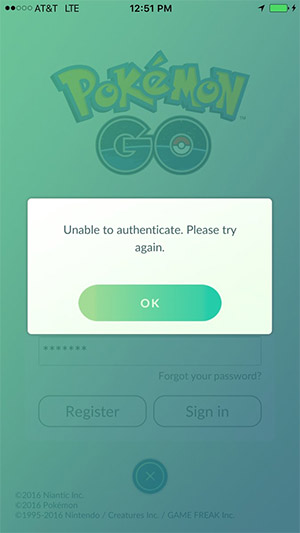
Pokémon Go Problems - Unable to Authenticate
Do not create a new trainer unless you really want a new account. If you suddenly see level 1 after logging in, you probably used a different login provider. Sign out and log in with the original Google, Apple, Facebook, or Pokémon Trainer Club account.
Pokémon GO depends heavily on GPS. If the game cannot detect your location, your trainer may stop moving, the map may fail to load, or you may see errors like “GPS signal not found” or “failed to detect location”.
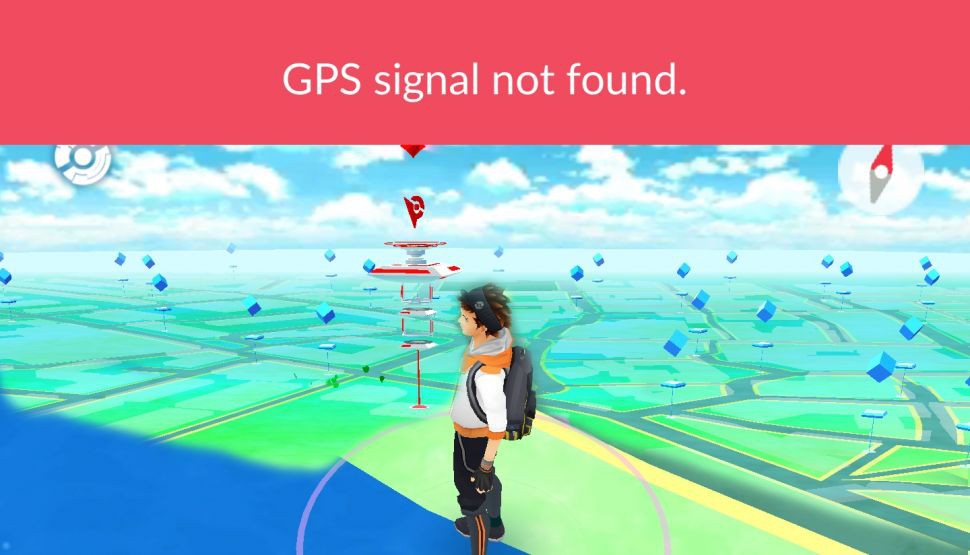
Common Pokémon Go Problems - GPS Errors
If your GPS problem happens only when playing outside, you may also find these Pokémon GO tips and tricks useful for a smoother playing experience.
Need more control over your phone location?
If your Pokémon GO problem is related to GPS accuracy, location testing, or route simulation, you may also consider Fonelora Location Changer. It lets you change GPS location on iPhone and Android from a Windows or Mac computer without jailbreak or root, and supports modes such as teleport, joystick movement, and route simulation.
However, always use any location-changing tool responsibly. Pokémon GO has its own fair-play rules, and using virtual location features to gain an unfair in-game advantage may affect your account. For normal troubleshooting, start with the official GPS fixes above first.
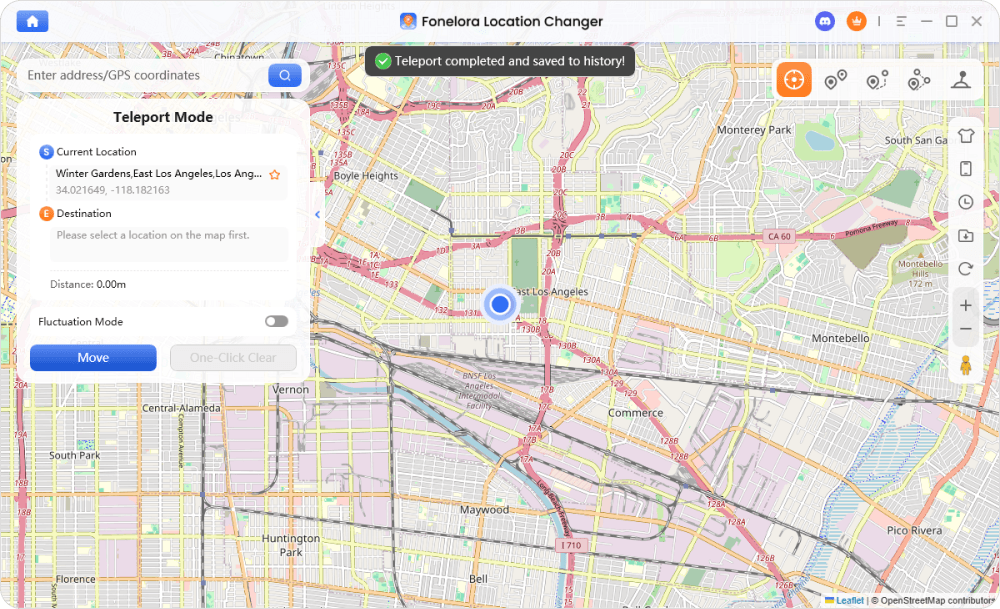
Fonelora Location Changer
If you are searching for what to do if Pokémon GO won't load, the first thing is to separate three situations: the app will not install, the app opens but stays on the loading screen, or the app crashes before the map appears. Each situation has a different cause, so avoid deleting the game or creating a new account too early.
Tip: Reinstalling Pokémon GO usually does not delete your progress because your game data is linked to your online account. Before reinstalling, make sure you know whether you used Google, Apple, Facebook, or Pokémon Trainer Club to log in.
Pokémon GO may freeze when catching Pokémon, battling, spinning a PokéStop, opening the shop, or switching between screens. This usually comes from a temporary app error, memory issue, network drop, or server delay.
Common Pokémon Go Problems – Pokémon GO Freeze
Lost Pokémon GO screenshots or photos after an app crash?
If you accidentally deleted Pokémon GO screenshots, AR photos, or other pictures from your iPhone while troubleshooting the app, you can try Primo iPhone Data Recovery. It helps you scan your iPhone, iTunes backup, or iCloud backup and retrieve deleted iPhone photos with or without a backup.
This tool does not fix Pokémon GO login, GPS, or server errors. It is only useful when you need to recover deleted iPhone photos, screenshots, or app-related images.

Designed to fit effortlessly into your iPhone data recovery.
Download NowA spinning Poké Ball usually means Pokémon GO is trying to communicate with the server. If it stays for a long time, the cause may be your network, temporary server congestion, or a blocked connection.
If your trainer walks in place, nearby Pokémon disappear, or PokéStops appear empty, the game may not be receiving fresh map, GPS, or server data.
Purchase-related errors usually happen when the payment store and Pokémon GO do not sync at the same time. Do not repeat the purchase immediately until you confirm whether the transaction went through.
Common Pokémon Go Problems - PokéCoins and Premium Items Disappeared
If eggs do not hatch or distance is not counted, the problem is usually related to walking speed, background permission, health/fitness permission, or Adventure Sync.
AR problems usually come from camera permission, unsupported AR features, or missing AR services on Android.
Pokémon GO uses GPS, mobile data, graphics, camera, and screen brightness, so battery drain and lag are common during long sessions.
Some Pokémon GO problems are technical, but some are caused by unsafe play habits. A clean troubleshooting page should also help users avoid avoidable risks.
What to do if Pokémon GO won't load?
If Pokémon GO won't load, force close the app, switch between Wi-Fi and mobile data, disable VPN, update the app, restart your phone, and check location permission. On Android, clear the Pokémon GO cache. On iPhone, reinstall the app if the loading screen problem continues. Do not create a new account unless you intentionally want to start over.
Why does Pokémon GO say “Unable to authenticate”?
It usually means Pokémon GO cannot verify your account at that moment. Common causes include weak network, temporary server issues, VPN interference, outdated app versions, or account authorization problems. Start by closing the app, switching networks, disabling VPN, updating Pokémon GO, and restarting your phone.
Will deleting Pokémon GO delete my account?
No, your Pokémon GO progress is normally linked to your online account. However, you must remember the correct login provider and email. If you log in with a different Google, Apple, Facebook, or Pokémon Trainer Club account, it may look like your progress has reset.
Why does Pokémon GO show “GPS signal not found”?
This usually happens when location permission is off, GPS signal is weak, Wi-Fi/mobile data is unstable, or Android mock location is enabled. Turn on Location Services, allow Pokémon GO location permission, improve location accuracy, and restart the app.
Why is my Pokémon GO trainer not moving?
Your trainer may stop moving when the app freezes, GPS fails, or map data is not loading. Force close Pokémon GO, check location permission, switch networks, and restart your phone if needed.
Why are my PokéStops empty?
Empty PokéStops are often caused by slow map or server data loading. Wait a few seconds, check your network, then reopen the app if the PokéStop still does not load.
Why are my eggs not hatching?
Eggs may not hatch if they are not in an incubator, you are moving too fast, Adventure Sync lacks permission, or battery saver blocks background activity. Check the incubator, motion/fitness permission, location permission, and Adventure Sync settings.
Is Pokémon GO battery drain normal?
Yes. Pokémon GO uses GPS, data, graphics, and the screen for long periods. You can reduce battery drain by lowering brightness, turning off AR, closing background apps, and using battery saver mode.
What should I do if Pokémon GO still does not work?
If you tried the relevant fixes and the issue continues, check whether your device is supported, reinstall the official app, and contact Pokémon GO support with your account type, device model, system version, error message, and screenshots.
Pokémon GO problems are easier to fix when you diagnose the cause first. For most players, the safest order is: check device support, update the app, confirm network access, enable location permission, restart the phone, clear cache or reinstall, and only then contact official support. Avoid risky fixes like creating a new account, using unofficial apps, or changing system settings you do not understand.
If you want to keep learning about the game, read what Pokémon GO is, check practical Pokémon GO tricks and tips, or explore similar games to Pokémon GO.
Ansel A member of PrimoSync Support Team, passionate about the mobile industry and ready to help with Apple-related issues.
Get Up-to-the-minute iPhone Tips & Enjoy Awesome Deals.



Design Simple and Beautiful Software
with Passion & Love

