
 by Sissi on Jun. 12, 2016 | NO COMMENT
Are you searching for a simple method to copy music to iPhone? This quick guide will help you to easily solve this problem.

Don't have PrimoMusic? Download it now prior to reading this guide and it will save you quite a lot of time. Click Here to Free Download
It seems that people rarely carry separate MP3 players to listen to music nowadays. On the contrary, people would like to enjoy all kinds of music with an iPhone. Like iPhone 6s, it’s available in 16GB, 64 GB and 128GB that allows you to carry millions of beautiful melodies to your pocket.
Also read: How to Transfer Music from iPhone to Mac
However, how to copy music to iPhone may trouble you if you don’t want to run iTunes or not familiar with it. Now PrimoMusic comes here to help you to easily make it.
As a fully featured music transfer application, PrimoMusic allows you to copy music from computer to iPhone effortlessly. Except this, there are some main features for you to check.
- Supports transferring music from iPhone to computer with few simple steps.
- Allows adding music from iPhone to iTunes through Smart Transfer and Manual Transfer. With the advanced design, it can avoid duplicates.
- Compatible with all models of iPhone, iPad and iPod, such as iPhone 6s/6s Plus, iPhone SE, iPad Pro, iPad Air 2, iPod touch, iPod nano, etc.
- User-friendly interface. Any music transfer can be completed with these one-click buttons.
Designed to fit effortlessly into your iPhone Music management
Download NowBefore this tutorial, it’s better to prepare these tools, an iPhone, a USB cable, a computer and PrimoMusic. After preparation, you need to download and install PrimoMusic on your computer and read the following part step by step.
Step 1. Launch PrimoMusic > Connect your iPhone to computer with a USB cable.
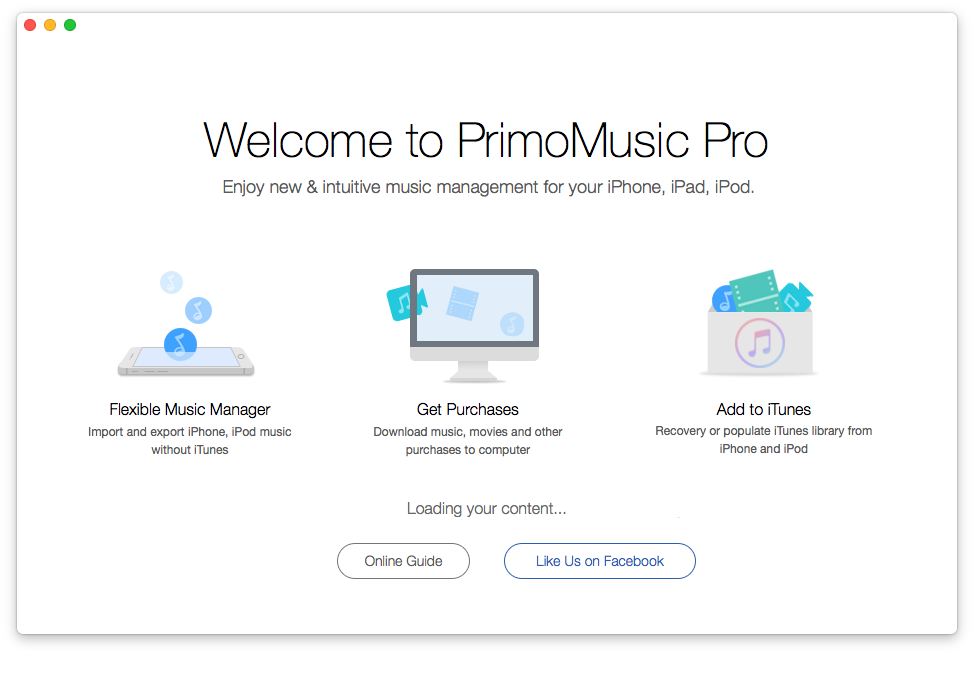
How to Copy Music to iPhone – Step 1
Step 2. Click Import To Device > Add your content from a music folder on your computer.
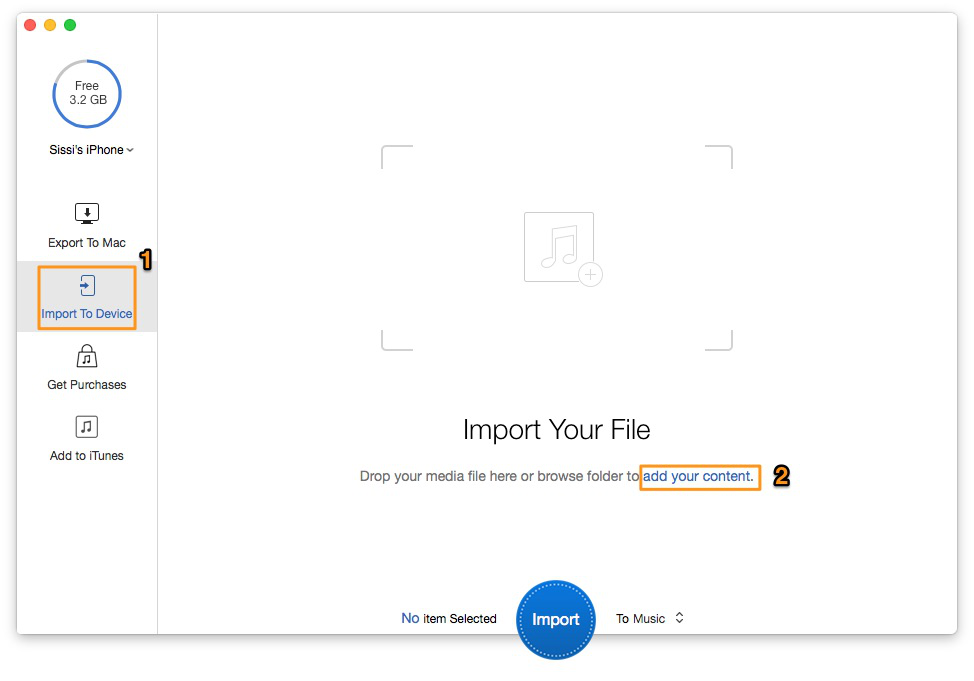
How to Copy Music to iPhone – Step 2
Step 3. Select music you want to transfer > Click Import button to copy music to iPhone.
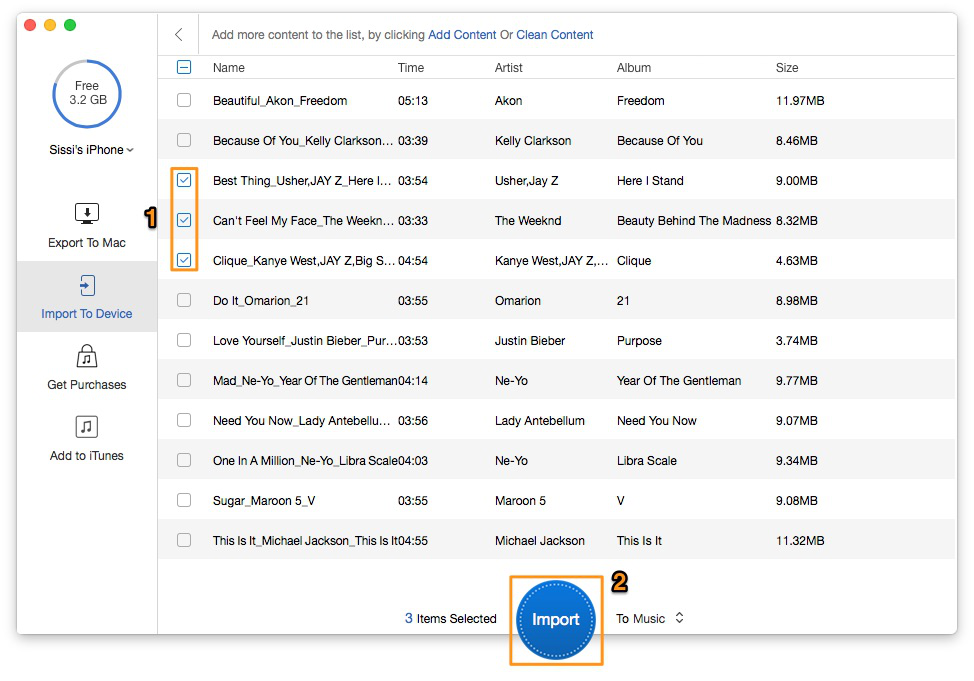
How to Copy Music to iPhone – Step 3
PrimoMusic lets you use a little time and effort to copy music to iPhone. According to your needs, you can select all music and the specific music quickly. PrimoMusic can bring you a pleasant music transferring experience between iDevice (iPhone/iPad/iPod) and computer. Why not download PrimoMusic to have a try?
SissiA member of @PrimoSync team, love to go travelling and share some easy-to-follow tips about Apple related issues.
Get Up-to-the-minute iPhone Tips & Enjoy Awesome Deals.



Design Simple and Beautiful Software
with Passion & Love

